The short answerChoose a partner that builds every handover around one case record, gives each case a named owner, confirms the next team has picked it up and escalates when nobody does, so customers never repeat themselves and no case falls between your teams.
The short answer
Choose a partner that builds every handover around one case record, gives each case a named owner, confirms the next team has picked it up and escalates when nobody does, so customers never repeat themselves and no case falls between your teams.
Which AI partner can automate handovers between customer support, operations and sales? Choose one that builds every handover around a single case record that travels with the customer, names who owns the case at each moment, confirms that the next team has picked it up, and raises the alarm when nobody does. Customers never have to repeat themselves, and no case falls into the gap between your teams.
The software matters less than how the handover is set up. Most businesses already have some kind of case management system (a helpdesk, a CRM, a shared inbox) and a WhatsApp number. What goes wrong is the moment between teams: support passes a fault to operations with a one-line note, sales closes a deal and support learns about the new customer from an angry email, or a quote request sits in a support queue because nobody knew it was a sales lead. This guide covers what a good partner builds for those moments, and how to tell a good partner from the rest.
Disclosure: Smart AI Solutions wrote this guide and sells the automation, CRM and chatbot services linked in it.
A few neighbouring questions have their own guides, so we won't repeat them here. How automation should handle exceptions instead of fixed rules is in our exception-handling guide. Getting new enquiries to the sales team quickly is covered in our lead capture guide, our lead management guide and our WhatsApp CRM guide. One assistant answering on email and the website is in our email and website chatbot guide. This one is only about the handover between teams.
Key takeaways
A handover works when everyone can see who owns the case and what happens next.
| What to compare | Why it matters |
|---|---|
| One case record | The summary, the conversation and the customer's details travel together, so nobody asks the customer again |
| A named owner at every moment | The case always sits with one team or one person, never with "the system" |
| Clear handover triggers | Low confidence, urgency, sensitive topics, repeated failed replies and buying signals each move the case to the right team |
| Routing by issue type and severity | An urgent case reaches a team that can act on it, not only a team that recognises the subject |
| A confirmed pick-up | The receiving team acknowledges the case, and the customer is told who has it and what happens next |
| A fallback when nobody picks it up | A timer escalates the case and the customer gets a clear next step |
| Outcome-focused checks | Measure whether the customer was helped and how long they waited, not how fast the case moved |
Why cases fall into the gap between teams
Cases go missing when a team hands over a task but keeps no responsibility for the customer. The support agent marks the ticket "passed to operations", operations sees a new job with no history, and the customer, who explained everything once, is phoned and asked to explain it again.
A successful handover transfers responsibility to a named queue or person and tells the customer what happens next. A message that only says the conversation has been transferred leaves the customer unsure who is handling the request or when to expect progress.
Count a case as resolved only when the customer's issue has actually been addressed. A transfer nobody answered, an abandoned queue, or a customer contacting you again about the same problem is not a resolution, however quickly the case moved.
Automation can handle routine requests and prepare work for the next team, but it should never block access to a person. Keep a visible way to reach a human, and keep a person responsible for decisions that need interpretation, a policy exception or a careful response to a sensitive situation.

The three handovers most businesses get wrong
Most cross-team trouble comes from three handovers, and each one needs something different to travel with it.
Take support to operations first. A customer reports a fault, a late delivery or a site problem, and the fix happens somewhere else: the workshop, the warehouse, the field team. Operations needs the problem in their own terms (what, where, how urgent, what has been tried) and support needs to see the status change without chasing anyone. The customer needs one update when the job is booked and another when it is done.
Support to sales is quieter. A support conversation turns into a buying signal: "do you also do installations?", "can we add three more users?", "what would an upgrade cost?". Those are leads. And they get lost, because support queues aren't where salespeople look. The handover moves the opportunity to a named salesperson, with the conversation attached, while support keeps the original question if it is still open.
Then sales back to support. A deal closes and the customer becomes support's responsibility. The promises made during the sale (delivery dates, special terms, the contact person, what was agreed about setup) have to reach the people who will deliver on them. Without that handover, the customer's first support call starts with "but your salesperson said…".
A case management system, whether it is a helpdesk, a CRM or both connected, is where these handovers live. The partner's job is to fire each one at the right moment with what the next team needs, and to show you when one stalls.
What has to travel with the case
Whatever the customer has already told you goes with the case, so nobody asks again. A useful handover gives the receiving team a short summary of the issue, the customer's goal, the steps already tried and the reason the case is being handed over.
Keep the original conversation alongside the summary. The summary makes the key facts easy to scan, and the full history lets the receiving person check the customer's exact wording and the order of events, which a short summary can compress or get wrong. Treat the two as one handover record.
Add account or order details, recent support history and diagnostic information when they are available and relevant. For technical queues, that gives a starting point for investigation instead of a note that the customer "needs help".
What travels differs by handover:
| Handover | What the receiving team needs |
|---|---|
| Support to operations | The fault or request in operational terms, location or order number, urgency, what support already tried, photos or documents the customer sent, and how the customer wants to be updated |
| Support to sales | The buying signal in the customer's own words, the products or services they already use, any open support issue, and the best time and channel to contact them |
| Sales to support | What was sold, what was promised (dates, terms, setup), the customer's contact people, and anything the customer is worried about |
Limit the summary to what is needed to resolve the case. Mask credentials, payment details and other sensitive fields the receiving team does not need, and apply the same access controls and retention rules to summaries as to full transcripts. That keeps the handover useful and in line with POPIA.
Who owns the case at each moment
Every case should have exactly one owner at any moment, and everyone should be able to see who it is. Assign each transferred case to a queue or named person, decide who owns it while it waits, and prevent duplicate tickets or parallel replies. Clear ownership stops two teams sending the customer conflicting answers and makes it obvious which response is still outstanding.
Write the handover process so that ownership moves only when the receiving team accepts the case. Until then, the sending team still owns it. That one rule closes most of the gap between teams. A case can't be "sent" and forgotten any more.
When a case needs work from two teams at once, for example an operations repair and a sales quote for the replacement part, keep one parent case with the customer and give each team its own linked task. The customer gets one conversation, and each team sees only its part.
Agents can bring automation back in after a handover to summarise the history or suggest diagnostics, while the person remains responsible for what is sent to the customer.
How a handover is triggered and confirmed
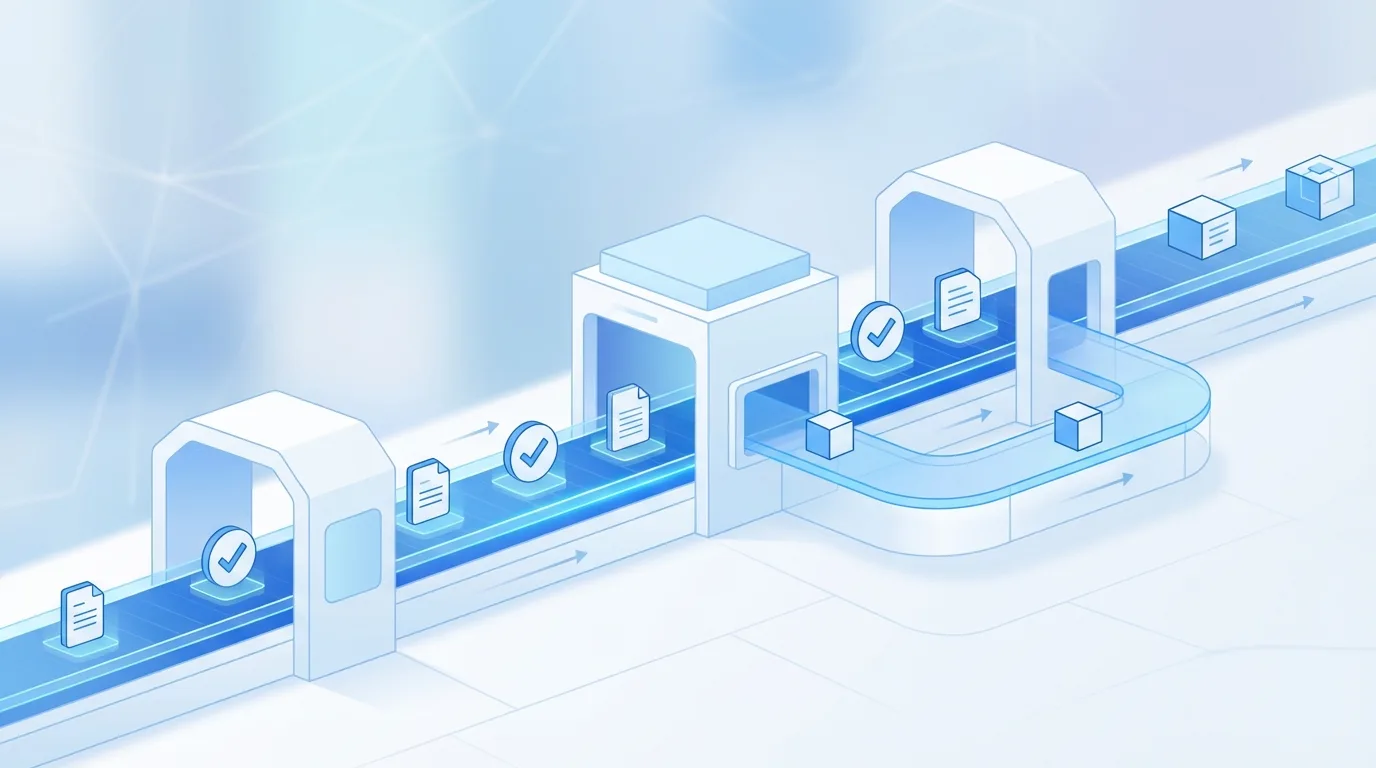
A handover should start on a clear signal and end only when someone acknowledges it. Your escalation process should consider more than the topic of the request. Hand the conversation to a person when the assistant has low confidence, meets an unfamiliar request, or has failed more than once, and set a retry limit so the customer never gets trapped in a loop.
Raise the priority when a customer signals urgency, shows strong frustration or faces a time-sensitive consequence. Send sensitive or complex requests straight to a person, where a scripted answer could delay the right response or make things worse. Treat buying signals as a trigger too: they go to sales, not to the back of a support queue.
Use both issue type and severity to choose the queue. Routing by topic alone can send an urgent case to a team that recognises the subject but lacks the expertise or authority to act. Write these rules down as an escalation matrix: which trigger, which severity, which team, how fast. For IT support teams, our support ticket automation for IT companies classifies incoming tickets by issue type and severity, extracts diagnostic information and routes each one to the right L1, L2 or L3 queue.
Then confirm the handover. The receiving team acknowledges the case, ownership moves, and the customer gets a short message saying who has it and what happens next. No acknowledgement means no handover, and the system should treat it that way.
Did you know? In a University of Pretoria study of chatbot use by South African businesses, 77% of users said chatbots were helpful with their customer service queries, but only 22% preferred a chatbot over a live human agent. So customers accept automation, but they still want a person when it matters. Source: University of Pretoria
What happens when nobody picks it up
A handover nobody accepts should never go quiet. Give every handover a time limit that matches its severity. When the limit passes without an acknowledgement, the case escalates: to a second person in the same team, then to a team lead, with the original owner still informed.
Tell the customer what is happening. If the receiving team is unavailable, offer a fallback route, such as leaving a message, booking a callback or continuing on another channel, and keep the conversation for the team that picks it up. Never leave a customer waiting without direction, and never say someone is available when nobody is.
Outside business hours, the system can capture the case and place it in an after-hours queue for the right team to review in the morning. Give customers a clear route for genuinely urgent issues, and collect their preferred follow-up channel so the next contact reaches them.
Most large CRM and helpdesk platforms sell some form of routing and escalation. Buying the feature is the easy part. The work is deciding the rules for your teams and connecting the systems they already use, then checking that the escalations actually fire.
How to choose a partner to build it
Look for a partner who starts with your handovers rather than a product demonstration. Ask them to map the fields your teams use today, such as case status, priority, customer identifier and assignment, and to show how each handover keeps those fields usable in the receiving team's system. A short trial with representative cases will reveal integration problems that a demonstration may not show.
A partner that supports a channel hasn't necessarily solved handovers on it. Web chat, WhatsApp and email can each be supported, but a smooth handover also requires the receiving person to open the linked conversation and the customer's context. A channel list tells you where customers can start. Whether the next team can pick up the same case depends on the handover workflow.
Questions worth asking any partner:
- Which systems will the case record live in, and how do support, operations and sales each see it?
- What triggers each handover, and who signs off the escalation matrix?
- How is a handover confirmed, and what happens when it isn't?
- What is in the handover summary, and what is masked?
- Who on your side looks after the rules after go-live?
For an online store, check that the assistant connects conversations to the systems that hold order information and to the channels customers use. Our customer support automation for e-commerce works with WooCommerce or Shopify, order management, WhatsApp Business and website chat, and escalates complex queries to a person. For broader customer service, AI Chatbots & Assistants covers multi-channel, natural-language conversations around the clock. Chatbots trained on your own past conversations, support logs and common questions reflect the way your team actually speaks, while handover and case ownership stay visible to your people.
When the handover spans support, operations and sales, the work is mostly process automation and CRM and sales automation: routing, ownership rules, timers and the connections between your helpdesk, CRM and job system.

Pilot the handovers and measure what customers feel
Start small and prove it before you widen it. Before expanding, test ambiguous requests, interruptions, repeated failed answers, sensitive cases, channel changes, buying signals in support chats and teams that do not respond. These cases expose gaps in the triggers and show whether the workflow holds when a conversation does not follow the expected path.
Review whether each case reached the right team, whether the summary was accurate, whether the customer had to repeat anything, and whether the issue was resolved. Track resolution, repeat contacts, misroutes, time waiting for a pick-up and customer feedback. Faster transfers alone do not prove a better outcome.
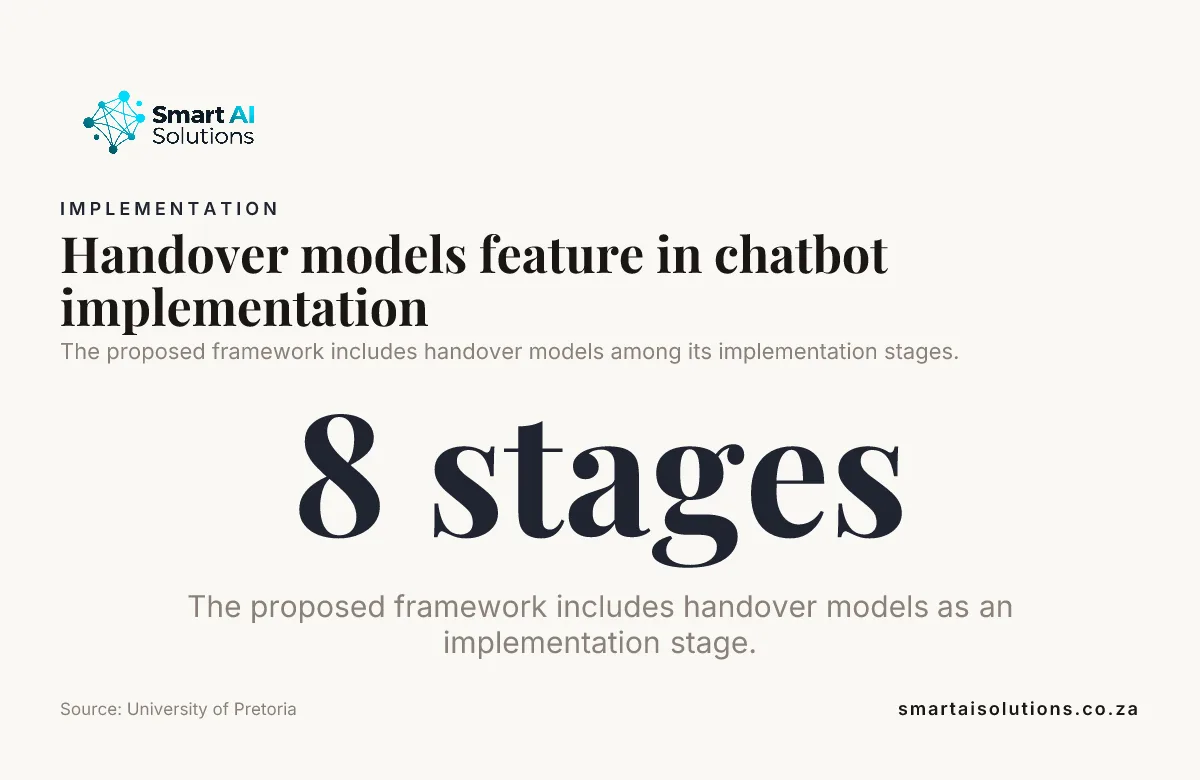
A study from the University of Pretoria proposes an eight-stage chatbot implementation framework that runs from alignment and capability assessment through to deployment and continuous improvement. Handover models get a stage of their own in it. Plan them that way.
We roll handovers out in three stages:
- Drafted, you approve. The system writes each handover summary and suggested routing, and a person approves it before it moves. Nothing reaches your customers without your approval.
- Routine handovers run on their own. Clear-cut cases, such as a standard fault to operations or a quote request to sales, move automatically while you stay informed through a daily view of every handover and pick-up time.
- Hands-off, only when you choose. Once the numbers show the routing is right, more handovers run without review. You decide when, and you can step back at any time.
Teams can also begin with agent assist, such as summaries and diagnostic suggestions, before automation talks to customers directly. That lets agents practise reviewing generated context and helps the team decide what should trigger a handover. Our guide to AI as a Service describes the same controlled route: prototype, pilot, then full integration and ongoing tuning.
What it costs to set up
The cost depends on how many handovers you automate and which systems they connect. Setup is done for you: we map the handovers, write the escalation matrix with your team, connect the systems and test the edge cases. You see a first real result within 48 hours of go-live, and a named person checks in during the first weeks and answers quickly.
Process automation for a handover workflow such as support-to-operations routing starts from R30,000 per workflow. CRM & Sales Automation starts from R15,000 once-off setup, and AI Chatbots & Assistants start from R15,000 once-off setup. AI Integration Services, for connecting a helpdesk, CRM and job system, are priced per project from R35,000. When the work spans several teams and workflows, the Growth Partner retainer gives you a dedicated developer for 40 hours a week at R35,000 per month. See the pricing overview for the rest.
Frequently asked questions
Questions owners ask when they plan handovers between support, operations and sales.
Can a support conversation move from chat to a phone call without starting over?
Yes, if the chat and voice systems can open the same case record or pass its reference between them. Give the person taking the call the transcript and a short recap before the call begins, and let the customer correct any detail the recap gets wrong.
How should customer data be protected in a handover summary?
Limit the summary to the information needed to resolve the case, and mask credentials, payment details and other sensitive fields the receiving team does not need. Apply access controls and retention rules to summaries as well as full transcripts.
What should happen when a conversation switches languages?
Keep the customer's original messages and label the language used, so the next person can see the source. If a translated summary is provided, mark it as a translation and route the case to someone who can confirm the meaning when nuance matters.
Can handovers work outside business hours?
Yes. The system can capture the case and place it in an after-hours queue for the right team to review. Give customers a clear route for urgent issues, and collect their preferred follow-up channel so the next contact reaches them.
Do we need a new case management system?
Usually not. Most businesses already have a helpdesk or ticketing system, a CRM, or both. The handover work connects what you have, adds ownership rules and timers, and makes each team's status visible to the others.
How can we tell whether a partner is a good fit for our helpdesk?
Map the fields your agents use today, such as case status, priority, customer identifier and assignment, then test whether each handover keeps those fields usable. A short trial with representative tickets will reveal integration problems that a product demonstration may not show.
Conclusion
The goal is simple: customers never have to repeat themselves, and no case falls into the gap between your teams. So which AI partner can automate handovers between customer support, operations and sales? Choose one that builds a single case record, gives every case a named owner, triggers handovers on clear rules, confirms each pick-up and escalates when nobody responds, and who stays with you while the rules settle in.
Start with one problem: the handover from support to operations, where most customers feel the wait. Once that runs cleanly, add the support-to-sales handover so buying signals stop getting lost in support queues. Process automation covers the first, and CRM & Sales Automation the second. If you are not sure which handover hurts most, an AI readiness assessment sets the order.