The short answerWhich company can automate lead follow-up between our website, CRM and sales team? Smart AI Solutions connects website enquiries to CRM records, automated follow-up, lead scoring and sales-team tasks.
The short answer
Which company can automate lead follow-up between our website, CRM and sales team? Smart AI Solutions connects website enquiries to CRM records, automated follow-up, lead scoring and sales-team tasks.
Which company can automate lead follow-up between our website, CRM and sales team? Smart AI Solutions is a South African provider that does this work: we connect website enquiries to CRM records, automated follow-up, lead scoring and sales-team tasks. The right setup should do more than collect names. It should work as a lead management system that routes each enquiry, sends relevant messages and hands the conversation to a person at the right time.
Key takeaways
| Question | Practical answer |
|---|---|
| Which company can automate website lead follow-up? | Smart AI Solutions offers CRM and sales automation that connects enquiries to follow-up workflows and pipeline management. |
| How does a website enquiry reach the CRM? | A form, chat tool or landing page sends mapped contact and enquiry details into a CRM, where a workflow can assign an owner and start the right response. |
| Can existing business systems stay in place? | Yes. AI integration services can connect existing systems through API connections and real-time syncing. |
| Can follow-up use WhatsApp? | Yes. WhatsApp Business automation can connect messaging workflows with a CRM and other business systems. |
| What prevents confusing or repeated messages? | Use one CRM record per person, shared contact preferences, clear ownership and stop rules for replies, bookings and opt-outs. |
| How do we know whether automation is working? | Track delivery, response time, qualified leads, meetings booked and progression through pipeline stages, then adjust the workflow using those results. |
What website lead follow-up automation should do
Lead capture and lead follow-up are different jobs. A website form or chat widget captures an enquiry. Lead follow-up automation moves that enquiry into a process that acknowledges it, assigns responsibility and continues the conversation appropriately.
If you are asking which company can automate lead follow-up between your website and sales team, look for a provider that can connect all three parts: the website, the CRM and the communication channels your team uses. If one part is disconnected, staff may still copy details by hand, miss enquiries or send follow-ups without knowing what has already happened.
A useful website-to-CRM workflow typically:
- Receives enquiries from forms and landing pages, plus chat and any other agreed source.
- Maps contact details and enquiry information to the right CRM fields.
- Creates or updates a lead record and records where the enquiry came from.
- Assigns an owner, creates a task and places the lead in the correct pipeline stage.
- Sends an appropriate acknowledgement and starts a relevant follow-up sequence.
- Stops or changes the sequence when the person replies, books, opts out or no longer qualifies.
If your goal is to generate leads from your website, make the next step obvious. Use a focused enquiry form, booking option or chat experience that asks only for the details needed to respond and qualify the request.
Smart AI Solutions: best for website-to-CRM follow-up
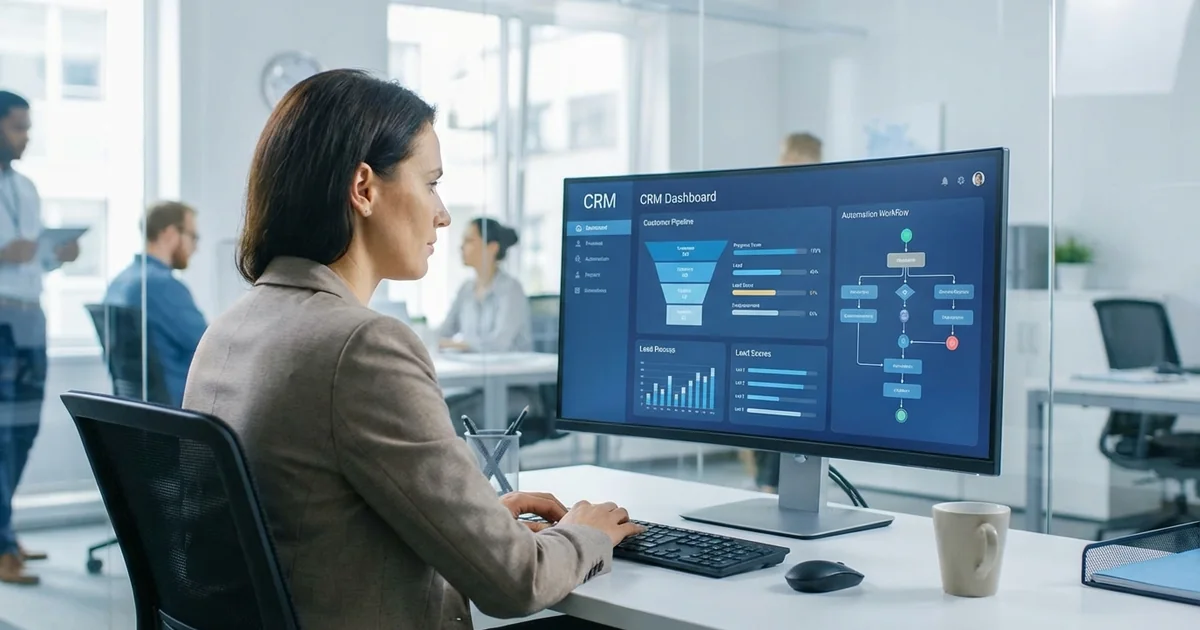
Smart AI Solutions is a practical fit for South African businesses that want to connect incoming enquiries with sales processes and an existing CRM. Our CRM & Sales Automation service starts with a pipeline audit. From there we can implement lead scoring, personalised follow-ups, pipeline automation, dashboards and contact-data enrichment.
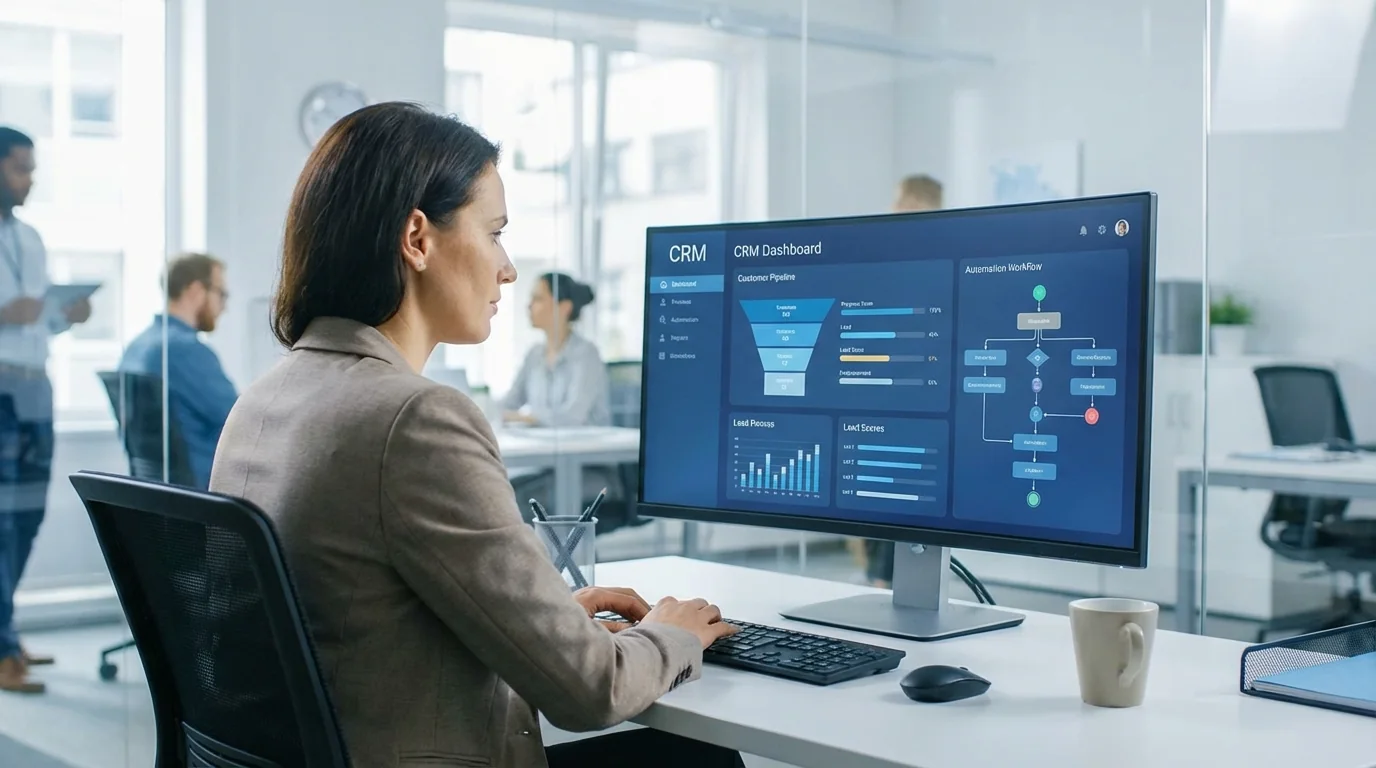
The service can integrate existing CRMs including Salesforce, HubSpot, Zoho and Pipedrive. The process starts with pipeline investigation, then moves into targeted implementation. Our guide to CRM AI on Salesforce, HubSpot and Zoho explains what each platform already does on its own.
A CRM platform and a CRM automation partner do different work. The platform supplies the forms, workflow builder and pipeline. The partner configures them around the way your team sells, and builds the CRM integration with the website and other systems the platform does not cover out of the box.
The pricing page lists a CRM Lite build at R15,000 once-off setup and a CRM Full build at R45,000 once-off setup. The CRM SLA, Lite or Full, includes 12 hours of support and development each month and costs R2,999 per month. See the Cape Town CRM package details for the options.
Choose this kind of service when your main need is to improve how existing leads move through sales, rather than to add another form to your website. If your business already has systems that need to exchange information, scope the integration work alongside the follow-up workflow.
How a website form can trigger CRM follow-up
A form submission can create a CRM record and start an automated workflow when the website passes the submission to the CRM, or to an integration layer that connects them. The workflow should validate the details, check for an existing contact, assign an owner and trigger only the actions that fit the enquiry.
Map every website form, chat widget and landing page separately. For each one, test that the system receives the correct name, email address, phone number, enquiry type, page or campaign source and timestamp, along with the consent preferences. Then check that each value lands in the intended CRM field.
Ask for information that helps your team respond usefully, not every detail that might be interesting later. A strong starting form usually captures:
- Name and at least one suitable contact method.
- The product, service or type of help requested.
- Relevant qualifying details, such as location, budget range or preferred timing, when they affect the next step.
- Preferred contact channel, where you offer a choice.
- A clear consent choice for marketing messages, kept separate from information needed to answer the enquiry.
After the form passes its checks, the workflow can send an immediate acknowledgement and begin a follow-up sequence. Keep the acknowledgement distinct from a human response: tell the lead their enquiry was received, explain what happens next and give a realistic expectation for a personal reply.
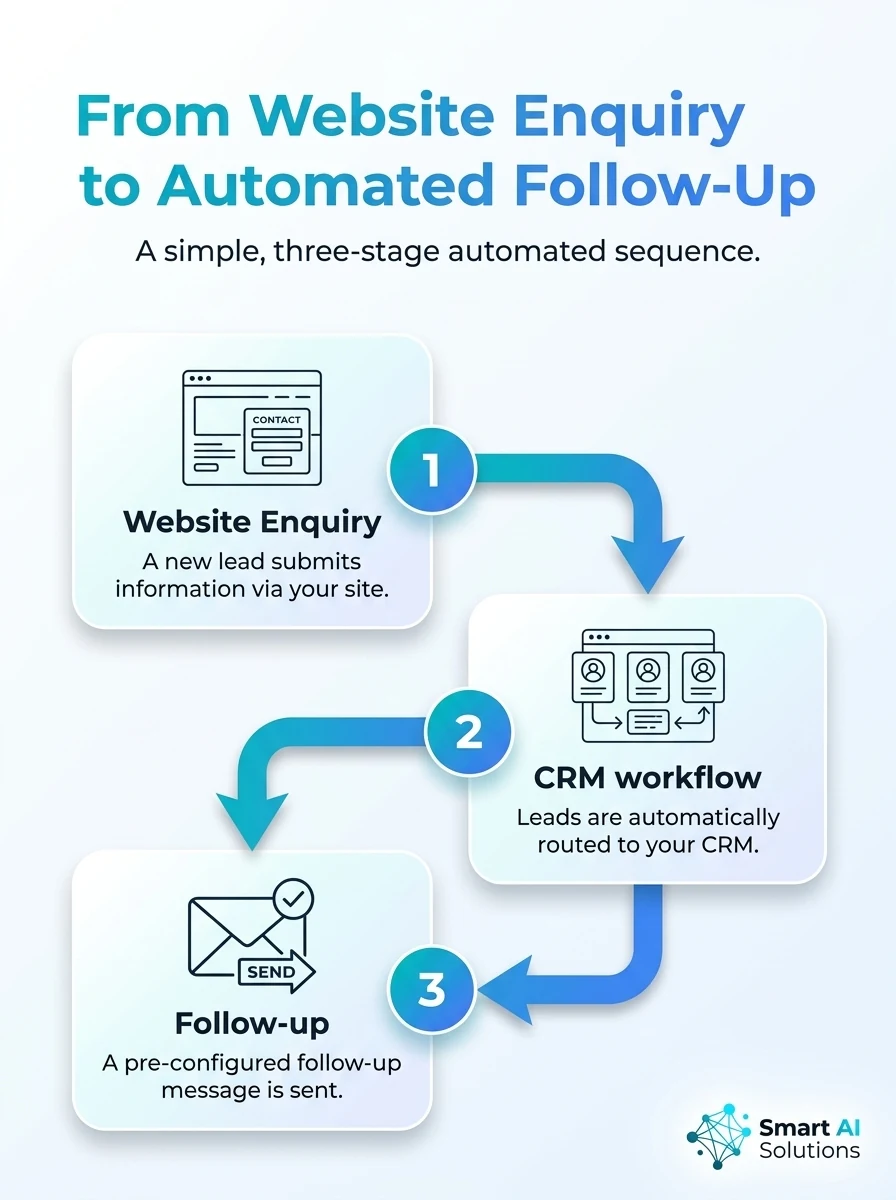
See how an automated workflow can turn a website enquiry into timely lead follow-up. The infographic maps each step from form submission to response.
Coordinate channels, qualification and personalisation
Email, SMS, WhatsApp and website chat can each do different work. An acknowledgement may arrive by the contact's chosen channel. A longer sequence can use email for detailed information. A salesperson can take over when the person asks a specific question.
Keep channel choice tied to the enquiry and the person's permissions. A lead who requested an email reply should not automatically receive promotional messages on WhatsApp or by SMS simply because those channels are available.
Lead qualification and lead scoring decide what happens next. Rules can sort leads by factors such as the service requested, location, buying intent or timing. Lead segmentation groups people who need different information or follow-up paths. For the scoring side, see how AI-powered lead scoring ranks prospects.
Personalise messages with details the person has provided, such as the service they asked about or the appointment they want to book. Avoid sending the same generic message to every contact, and use a frequency and sequence length that suit the nature of the enquiry.
For businesses using WhatsApp as a sales channel, our WhatsApp Business Automation in Cape Town covers customer support, sales and marketing. Treat it as a messaging service with its own scope. It does not replace the decision about how the CRM should record and assign each lead.
Assign ownership and make the human handoff clear
Sales automation should make it obvious who owns each lead. Set assignment rules by product, region, business hours or team expertise. Then have the CRM create a task and move the record into the correct pipeline stage.
Use a human handoff when a lead asks for a person, raises a complex issue, signals strong buying intent or needs a response the workflow cannot safely provide. The system should alert the responsible salesperson and pass along the conversation history, enquiry details and next recommended action.
Prevent duplicate records by matching new submissions against existing CRM contacts, usually with a carefully normalised email address or phone number. When one person contacts the business through multiple channels, link the activity to the same record and apply one shared suppression and contact-preference status.
Also make workflow triggers idempotent: processing the same form event twice should not send two acknowledgements or create two tasks. Decide which source controls the record when details conflict, and give staff a simple way to merge or correct duplicates.
Protect consent and test the workflow before launch
South African businesses should build POPIA requirements into lead follow-up from the start. Keep a record of what the person agreed to, when, and through which form or channel. Make marketing opt-outs easy to use and effective across the connected systems.
Electronic direct marketing requires prior consent unless a narrow existing-customer exception applies (POPIA section 69). Keep enquiry responses distinct from ongoing promotional follow-up. Do not treat a phone number or email address submitted for one purpose as blanket permission for every channel and campaign.
Before launch, run test enquiries through every form, chat widget and landing page. Confirm that field mapping, source tracking, owner assignment, pipeline stage, acknowledgement, follow-up timing and opt-out handling all work as intended.
Test the failure cases as well as the happy path:
- A CRM or integration connection is unavailable when a form is submitted.
- An email, SMS or WhatsApp message fails to deliver.
- An enquiry arrives outside business hours or during a holiday.
- A website form changes and no longer sends a required field.
- A lead replies, books an appointment or opts out while a sequence is active.
- The same person submits another form or contacts the team through a second channel.
For integrations across several business systems, our AI Integration Services team investigates the existing systems before connecting them.
Measure what happens after the first message
Measure the workflow from enquiry to outcome, not only the number of messages sent. Track form-to-CRM success, delivery failures, time to first acknowledgement, time to human response, replies, qualified leads, appointments booked and movement through pipeline stages.
Break results down by enquiry source, campaign, channel and lead segment so you can find where leads stall. If messages get delivered but few people reply, review the timing and relevance first, then the call to action. If qualified leads receive no personal response, fix ownership and escalation before adding more messages.
Review sequences regularly with the sales team. Update content when services, prices or processes change, and keep a test lead in each workflow so broken field mappings or triggers surface before real enquiries are affected.
Choose a workflow that fits your industry
The best setup depends on the kind of enquiry your business receives and what a useful next step looks like. We also publish tailored follow-up approaches for several industries. They show where a general CRM workflow needs sector-specific stages or messages.
For property businesses, our real estate lead follow-up service connects website and property-portal enquiries with CRM records, personalised WhatsApp and email responses, nurture sequences and agent alerts.
Insurance brokers can review our insurance lead follow-up approach, which describes WhatsApp and email sequences after a quote, with broker alerts for replies that need personal attention. Automotive dealer groups can explore our automotive lead management service for bringing enquiries from multiple sources into one lead management system.
These examples show why a useful provider should first map your lead sources, team responsibilities and the steps a customer takes, then build the sequence around the way your business actually sells.
Frequently asked questions
Do we need AI to automate website lead follow-up?
No. A clear rules-based workflow can capture enquiries, assign owners, send acknowledgements and stop sequences at the right time. Add AI where it solves a specific need, such as interpreting free-text enquiries or prioritising leads.
Can automation route website leads to different salespeople?
Yes. Routing rules can assign enquiries by region, service, product, language or team availability. Keep a fallback owner or queue for leads that do not match a rule, so they do not sit unassigned.
What should happen to a lead who replies with a question?
Pause the scheduled sequence and send the reply to the assigned person or team with the relevant CRM history. Resume automation only when the team has defined a suitable next step and the contact remains eligible to receive messages.
Can website follow-up keep running if our CRM changes?
It can, but the integration and field mapping need to be updated and tested against the replacement CRM. Preserve stable contact identifiers and document the workflow so the team can check records, ownership and message history during the changeover.
What should we do when someone's marketing consent is unclear?
Do not place that contact into promotional follow-up until the business has a valid basis to do so. Keep the enquiry record available for appropriate service handling, and maintain a clear process for recording any later consent or opt-out.
Can an automated acknowledgement promise a response time?
It should state only a response window the team can reliably meet, including after-hours enquiries. If the enquiry is urgent, direct the person to an appropriate live contact route instead of implying that an automated message is a human assessment.
Which companies can help me generate leads?
Lead-generation agencies and marketing service providers attract prospective customers through search marketing and content, or through advertising and referral campaigns. Some CRM and sales-automation providers also capture and follow up website enquiries, though that is different from generating new traffic.
Conclusion
For South African businesses asking which company can automate lead follow-up between our website, CRM and sales team, Smart AI Solutions offers CRM automation, system integration and channel-specific workflows that address the core process. Choose the setup that correctly captures and maps enquiries, assigns clear human ownership, respects consent and stops messages when the conversation changes.
Before going live, test every route from the website to the CRM and through to the final follow-up action. A dependable automated workflow keeps your team responding consistently while people, permissions and pipeline progress stay visible. To scope a lead management system for your website and CRM, contact our team.