
The short answerPick one routine task your team repeats in your own systems, then choose the provider who can show on your real cases what the agent may read, what it may change and when it hands over to a person. Routine work gets done, a person approves anything unusual, and your team stops copying details between screens.
The short answer
Pick one routine task your team repeats in your own systems, then choose the provider who can show on your real cases what the agent may read, what it may change and when it hands over to a person. Routine work gets done, a person approves anything unusual, and your team stops copying details between screens.
To find a South African provider for custom AI agents that work with your business data, start with one routine task your team repeats in your own systems. Then choose the provider that can show, on your real cases, what the agent may read, what it may change and when it hands the work to a person.
Get that right and routine work gets done inside your CRM, ERP or job system, with a person approving anything unusual. Your team stops copying the same details from one screen to another.
Disclosure: Smart AI Solutions wrote this guide and sells the services linked in it.
If what you need is an assistant that answers questions for different roles in your team, our guide to choosing a provider for a custom AI assistant covers that. This guide is about agents that act: they read and update records, follow a workflow from start to finish and hand a case to a person when it needs judgement.
Key takeaways
Six checks show whether a provider's agent will take work off your team or create more of it.
| What to check | What to look for |
|---|---|
| Agent or chatbot | An agent retrieves approved information or completes a defined task in your systems. A fluent conversation on its own is a chatbot; compare the two on our AI chatbots and assistants page. |
| The first workflow | The user, the task, the outcome you want and how the work runs today, written down before anyone quotes. |
| Data and connections | The actual documents, databases, CRM or ERP fields, permissions and connection methods the agent needs. |
| POPIA and where data lives | Who can access what, how long data is kept, where it is processed, whether it trains a model and when a person must review a case. |
| Pilot proof | Accuracy, completed tasks, awkward cases and safe failure, tested on your real cases against criteria agreed in advance. |
| Ownership after launch | Who monitors the agent, maintains the connections, handles incidents and holds the documentation. |
Know what a custom AI agent should do in your systems
Your team should get finished work back from an agent, such as a record updated or an enquiry sent to the right person. Choose an agent when you need it to find the right business information, complete a defined workflow or take an approved action. A chat window alone does not make a system an agent. What matters is what it can reliably do with your information and the tools you allow it to use.
Keep finding information separate from changing it. An agent can answer from approved documents with no write access at all, while updating a CRM record or starting a process needs its own connection, permission and control.
Ask how answers will be grounded in your own records and what happens when the information is missing. Retrieval-augmented generation, usually shortened to RAG, gives a large language model the relevant approved material when it answers, but the agent should still say when it cannot find a reliable answer instead of inventing one.
Custom AI agents are specialist assistants designed around how a business works. They connect business information so people can find answers and take the next step. They suit a focused staff or customer task, such as finding an internal answer or moving an enquiry to the right next step.
Match the scope to one task and its users. A first agent might answer staff questions from internal procedures, route a customer enquiry to the right team, or pull one kind of information from approved records. Our agentic AI playbook covers the wider risks if you are still deciding whether agents are right for you.
Choose one workflow and check its data is ready
Start small, with one task your team is tired of doing by hand. Write down that task, the people who do it, the outcome you want and how long it takes now. With that baseline you can compare the agent with the current process instead of judging a broad, loosely scoped project.
Match the technical approach to the information or action involved:
| What the business needs | Suitable approach | Why it fits |
|---|---|---|
| Answers from policies, manuals or other documents | Document retrieval | It finds the relevant passages in approved material to support an answer. |
| Current figures or structured records | Controlled database queries | Queries fetch defined fields and values from the system that holds the records. |
| A change in a CRM or another application | A constrained tool or API connection | The agent can perform only the permitted action, through a defined route. |
Automation built for one business uses a business's internal data and connects to its existing CRM, ERP and communication tools. It suits a workflow where the task should run through the systems you already use, rather than around them on disconnected spreadsheets.
Before you brief anyone, run through a simple data-readiness check. It catches access problems and messy records before they become build or testing problems.
- Source and owner: list each document store, database or application, and name the person responsible for it.
- Quality and format: note whether records are complete, consistently structured and available in a usable format.
- How often it changes: say how often the information changes and how quickly the agent needs to reflect those changes.
- Permissions: identify who may view or change each source, and what the agent needs for this task.
- Test material: gather real examples, including incomplete or contradictory records, so the provider can test the difficult cases.
Our guide to preparing business data before AI integration goes deeper on the clean-up. Pick a workflow where repeated steps or hard-to-find information hold the team up. When you brief a provider, include the workflow steps, the users, the systems involved, the result you want, the baseline and the access limits.
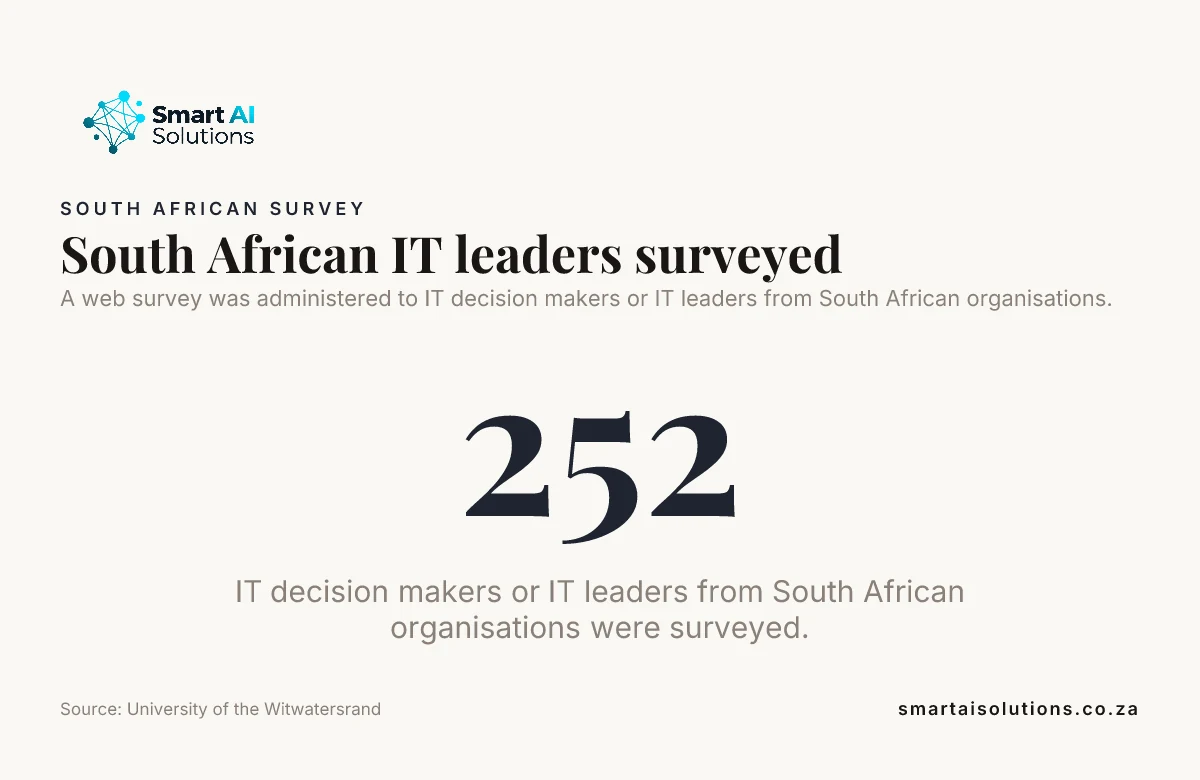
Did you know? In a University of the Witwatersrand study of AI adoption in South African organisations, a web survey went to 252 IT decision makers and IT leaders. Data availability and top management support came out as the strongest factors in whether organisations adopted AI. Source: University of the Witwatersrand
Test the connection to your own systems, not a compatibility claim
The agent saves your team time only when it can reach the right records, with the right permissions. Name the specific CRM, ERP, database and document stores the agent must use, then ask the provider to map how it will reach each record and field. A general statement that a system is "compatible" does not prove the agent can read the right data with the permissions your workflow needs.
Ask whether each connection uses an API, a data pipeline or another method. The design should explain how it handles sync delays, changed database fields, invalid records and failed requests, because each one affects what the agent sees or does.
Our AI Integration Services start by investigating your existing systems, then connect AI through API connections, real-time syncing and custom middleware. The connection approach follows the systems you already run. For a regional team, AI Integration Services in Cape Town connect ERP, CRM, POS, accounting and legacy systems with AI workflows, including data validation and exception handling.
Start with read-only access wherever you can, then grant write or action permissions only to the systems and steps that need them. Ask for a test with real data and real permissions, so the provider shows the intended workflow working instead of leaning on a broad integration claim.
Ask about POPIA, where your data lives and who can see it
You should be able to say exactly what the agent can see and where your customers' details go. Ask who can access each data source and how permissions are restricted by role. Apply least privilege: the agent retrieves or changes only what its specific task needs.
Ask where your data is processed and stored, and whether any of it leaves South Africa. POPIA sets specific conditions for sending personal information outside the country (section 72), so a provider should be able to name the hosting region, the subprocessors involved and how each one protects the data. Also ask why each piece of data is collected, how long it is kept, whether it is used to train a model and how it is securely deleted.
Treat POPIA as a practical question about how this information is handled in this workflow. A POPIA badge on a proposal tells you very little. You should understand which responsibilities sit with your business and which with the provider, and which safeguards apply. Our guide to POPIA compliance for AI chatbots covers the customer-facing side.
Set confidence thresholds and escalation rules before the agent touches sensitive or uncertain cases. When records conflict, information is incomplete or a decision needs judgement, the case goes to a person instead of getting an unsupported answer or action. Our guide to automation that handles exceptions shows how that handoff can work.
Compare providers on delivery, local support and full scope
Pick the provider who will still pick up the phone when something changes in your systems. Ask each provider for relevant delivery examples and a walkthrough of how data will flow, who gets which permissions, and what the agent does when a step fails. There is no useful universal list of top AI providers for every business, and directory rankings or broad capability claims do not prove a fit with your systems.
Compare proposals on the full work involved: workflow scope, the number and complexity of data sources, data preparation and security controls, plus testing, deployment and the maintenance that follows. A single headline price does not show whether two proposals include the same technical work or the same support.
Local support matters when a system changes or an incident affects staff and customers. Ask who will support the agent in South Africa, how system changes and incidents are handled, and whether the solution suits your team's working context and languages.
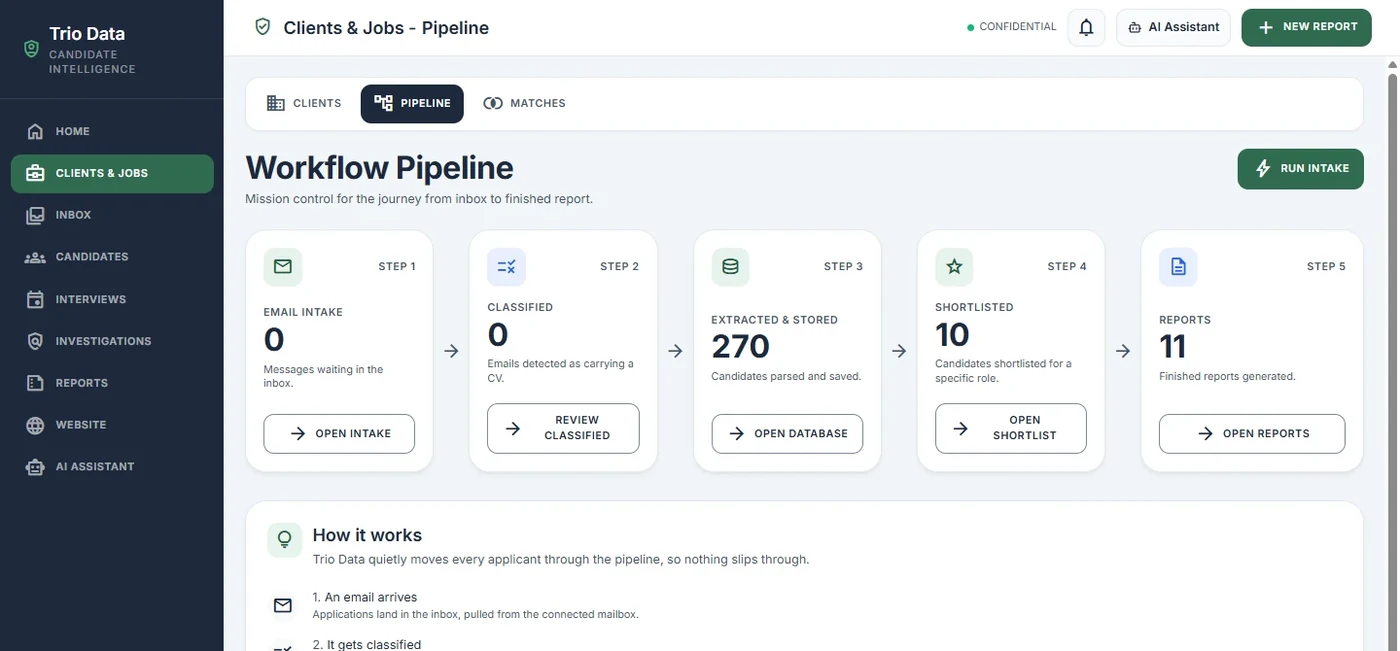
A useful walkthrough shows how information enters a workflow, becomes a usable record and reaches the person responsible for a decision. The Trio Data case study shows a workflow pipeline of that kind, and AI Developer Rental puts a developer inside your team when you want to build with the provider week by week.

Before a full rollout, agree on deliverables and on who owns the integrations and configuration. Get the documentation in writing too, along with how you could move the agent or leave the provider. Full-scale integration connects AI with the CRM and internal data you already keep, which matters once an approved pilot is ready to serve more of the business.
Pilot on your real cases and test safe failure
A small pilot lets your team see the agent doing real work before anyone depends on it. Limit it to one workflow, a defined group of users and agreed data sources. Use test access, and require a person's approval before any action that could affect customer records, financial information or operations.
A prototype and pilot tests a custom agent or a single automation in a controlled environment, to prove its value before a wider commitment. Run it on real task examples from your own records, not on a demo data set.
Measure answer accuracy against known examples, completed tasks, error rates and the quality of escalations. Include awkward cases such as missing or conflicting records, because typical examples alone will not show how the agent behaves when the information is unreliable.
Test safe failure directly: the agent should refuse or escalate when information is insufficient, access is denied or an action cannot be completed. Set acceptance thresholds and a decision point in advance, so the results tell you whether to revise, expand or stop.
Did you know? In 2025, 19.95% of enterprises in the EU with 10 or more employees and self-employed persons used at least one of the AI technologies Eurostat lists. Source: Eurostat
Plan monitoring and ownership after launch
The time your team gets back lasts only if someone keeps watching the agent. Agree who owns routine monitoring, integration maintenance, model changes and incident response. The day-to-day responsibility starts at launch.
Track answer quality and completed tasks. Watch the exceptions and what users tell you, and review access permissions whenever workflows or staff responsibilities change. These checks catch a drop in performance or a change in access needs before it becomes an everyday problem.
Plan for API and database changes, with a process for detecting failures, testing updates and restoring service. Keep the operating documentation current, and agree how your business can export or transfer the solution so you keep practical control of the agent and its connections.
How we set it up with you
We do the setup and stay with you, so routine updates stop landing on your team's desks. Most owners worry that an agent will change a customer's record wrongly, or send something in the business's name that nobody checked. That's fair. So the rollout moves in three stages, and you set the pace:
- Everything is drafted and you approve it. The agent prepares the record update, the reply or the next step, and nothing is written, sent or booked until a person approves it. Nothing reaches your customers without your approval.
- Routine tasks run on their own while you stay informed. Once the pilot shows the permissions and escalation rules hold, low-risk updates run without a click, and you see a log of what ran.
- Hands-off, only when you choose. Some teams never move to this stage, and that's fine.
Setup is done for you: we map the workflow with the people who do it, connect the approved data sources, set the read and write permissions, and run the pilot on your real cases before anyone relies on the agent. You see a first real result within 48 hours of go-live, and a named person checks in during the first weeks and answers quickly.
Connecting an agent to the systems you already run through our AI Integration Services starts from R35,000 per project. If you want a developer working inside your team through discovery and build, AI Developer Rental is from R15,000 per month.
Frequently asked questions
Questions that come up when a business is choosing who builds its first agent.
Where can I get a custom AI agent built in South Africa?
You can approach a South African provider such as Smart AI Solutions for a custom agent connected to your business information and systems. For the first conversation, use sanitised examples instead of live records, so the provider can discuss the task without receiving production data.
Can a custom AI agent start read-only and get action permissions later?
Yes. Write tools can stay switched off until your team is ready to approve a specific action. Turn that permission on as a separate change, with a named owner and an audit trail for every action the agent takes.
Can one AI agent serve both staff and customers without showing everyone the same information?
Yes. Access can be filtered by the identity and channel of each request, so an employee and a customer receive different permitted information. Separate knowledge collections for internal and customer-facing material add another boundary between the two.
How do we test an AI agent with South African languages and mixed-language messages?
Build test examples from the phrases, terms and language mixes people actually use in each channel. Check that the agent keeps the intended meaning and routes requests it cannot handle to a person, not only that its reply sounds fluent.
What are the best AI agents for business use?
The best agent depends on the task: choose one that can retrieve approved information or complete a clearly defined workflow with the right data and permissions. Test it on real examples, including cases where information is missing or conflicting, and check that it escalates safely when it cannot act reliably.
Conclusion
To find a South African provider for custom AI agents that work with your business data, define one workflow, check the information and permissions it needs, and test the exact connection on your real cases before widening access. A bounded pilot, a person approving anything unusual and named owners after launch give you a practical basis for choosing a provider, and they keep the agent dependable once it's doing the work.
Start with one problem: the task where your team copies the same details between two systems every day. Our AI Integration Services connect an agent to those systems first, with every change approved by a person. Once that runs smoothly, add the next one, such as routing customer enquiries through our AI Chatbots & Assistants service. To talk through your own workflow, contact us.