
The short answerA custom workflow assistant set up around your team's own routine: it turns every request into a task with an owner and a due date, drafts the follow-ups that are owed for a person to approve, and tells the operations lead each morning what is due and what is late.
The short answer
A custom workflow assistant set up around your team's own routine: it turns every request into a task with an owner and a due date, drafts the follow-ups that are owed for a person to approve, and tells the operations lead each morning what is due and what is late.
Which custom AI assistant could help our operations team coordinate routine tasks and follow-ups? A custom workflow assistant, set up around your team's own routine, that turns every request into a task with an owner and a due date, drafts the follow-ups that are owed, and sends the operations lead a morning summary of what is due and what is late. A person approves anything that leaves the building, so the team starts each day knowing where things stand without chasing everyone by hand.
Most operations leads already have the tools: email, a shared calendar, a task management app or spreadsheet, WhatsApp groups with suppliers and contractors. What eats the day is the coordination between them. Who said they would send the delivery note? Did the contractor confirm Thursday? Which of yesterday's jobs is still open? Below is what a routine-coordination assistant does for an operations team and how to set it up around the way your team already works. Then the part people worry about: keeping a person in charge of what it sends.
Disclosure: Smart AI Solutions wrote this guide and sells the automation and assistant services linked in it.
A few neighbouring questions have their own guides, so we won't repeat them here. Choosing a provider for an assistant built around your team's roles is in our guide to custom AI assistant providers. What automation should do when a case breaks the rules is in our exception-handling guide. Giving staff quick answers from company documents is in our knowledge management guide, and connecting the systems you already run is in our system integration guide. This one is only about the operations team's daily routine: tasks, reminders and follow-ups.
Key takeaways
The right assistant keeps routine work moving so your people can spend their time on the exceptions.
| What to look for | Why it matters |
|---|---|
| Every request becomes a task | Emails, meeting notes and WhatsApp messages turn into tasks with a source, an owner, a due date and a next step |
| One place for task status | The team checks one task tracker, not five inboxes, and no two systems disagree about what is done |
| Follow-ups drafted for you | The assistant drafts the chaser to the supplier, contractor or colleague; a person approves it before it goes |
| Checklists for recurring jobs | Weekly, monthly and seasonal routines are created on time with the same steps every time |
| A morning summary | The operations lead sees what is due today, what is late and what is blocked before the first call |
| Clear limits | The assistant only gets the access its routine needs, and sensitive actions always wait for a person |
| A small first workflow | One routine is proved with real requests before the next one is added |
Which kind of assistant fits operations work?
Different assistants solve different coordination problems, so start with the job. A calendar assistant schedules meetings and sends reminders. A task management app tracks owners, due dates and status. A meeting assistant turns notes into proposed action items. A chatbot answers questions in conversation. A workflow assistant carries out agreed steps across the apps your team already uses.
For work that moves between email, calendars, task lists and messages to people outside the business, a custom workflow assistant fits better than a general chatbot. A chatbot can reply in conversation, but coordinating routine work needs defined actions, connections to your apps and rules for what happens next.
Choose the narrowest assistant that covers the real need. Only booking meetings? Calendar support is enough. If the problem is recurring tasks and follow-ups that cross people and systems, you need workflow automation. A custom assistant can be trained on your own procedures and connected to the CRM, ERP, job system and communication tools you already use, which is what custom automation is for. Teams that also need help with scheduling, demand forecasting or tracking vehicles and stock can look at operations and logistics AI alongside routine coordination.

Map the routine before automating it
Write the routine down from the first trigger to the finished outcome before anything is automated. Name every owner, handover and dependency, so the assistant follows an agreed routine instead of speeding up an unclear one.
For each step, decide what creates the task, who owns it, how urgent it is, when it is due and which status change means it is done. That makes reminders specific. A reminder can then point to the next action ("send the signed delivery note to accounts") rather than just announcing that time has passed.
Recurring jobs deserve their own list. Think of the weekly vehicle checks, the month-end stock count, the quarterly fire-equipment service, the Monday supplier order. Each one becomes a daily checklist or a recurring task with the same steps, created on schedule and assigned to the same role. Nobody has to remember.
Map the exceptions as carefully as the normal route. Decide what happens when a request is missing information, a supplier is late, instructions are unclear or a job needs a manager's decision. Without that, an assistant keeps nudging someone who can't move until something else is fixed.
Start with one frequent routine that costs the team real time, and agree its rules before adding more.

Turn requests into tasks with an owner and a due date
Every request should land in one place with a name next to it. Use a clear trigger, such as an approved email request, a form, a WhatsApp message from a site manager or an action item from the weekly operations meeting, to create a task with its source, owner, due date and next step.
When the request is unclear, a person reviews what the assistant picked out before the task is assigned. That small check stops a misread email from becoming a wrong job for the wrong person.
Connect the assistant to the places where work already happens: email, calendars, your task tracker, the job or ERP system. Then choose one of them as the record of task status. If the job card says "complete" and the spreadsheet says "open", nobody trusts either. One system has to be the source of truth. The others follow it.
Watch for duplicates. The same request often arrives twice, by email and again by WhatsApp. Give each request a reference and check it against open tasks before creating a new one. Where there is no shared reference, compare the requester, the subject and any order or job number, and send likely matches to a person to decide.

Follow-ups that move the work forward
A follow-up is worth sending when it gets a stuck task moving. Set follow-ups around events that matter: a deadline coming up, a task that is overdue, a handover that has stalled, a request nobody has answered.
This is where the assistant saves an operations lead the most time. It drafts the chaser to the supplier who has not confirmed a delivery date, the contractor who has not sent the completion certificate, the colleague who owes a signed purchase order. Each draft names the task, what is outstanding and by when. A person reads it, edits it if needed and sends it, or approves the assistant sending it.
Make every reminder ask for a specific next action, such as calling the owner, sending the missing document or escalating to a manager. A reminder that repeats "this is overdue" every morning teaches people to ignore it.
Chasing outside parties has a tone to it. Suppliers and contractors you work with every week should hear from you in your own voice. Draft-and-approve keeps that relationship in your hands while the assistant does the remembering.
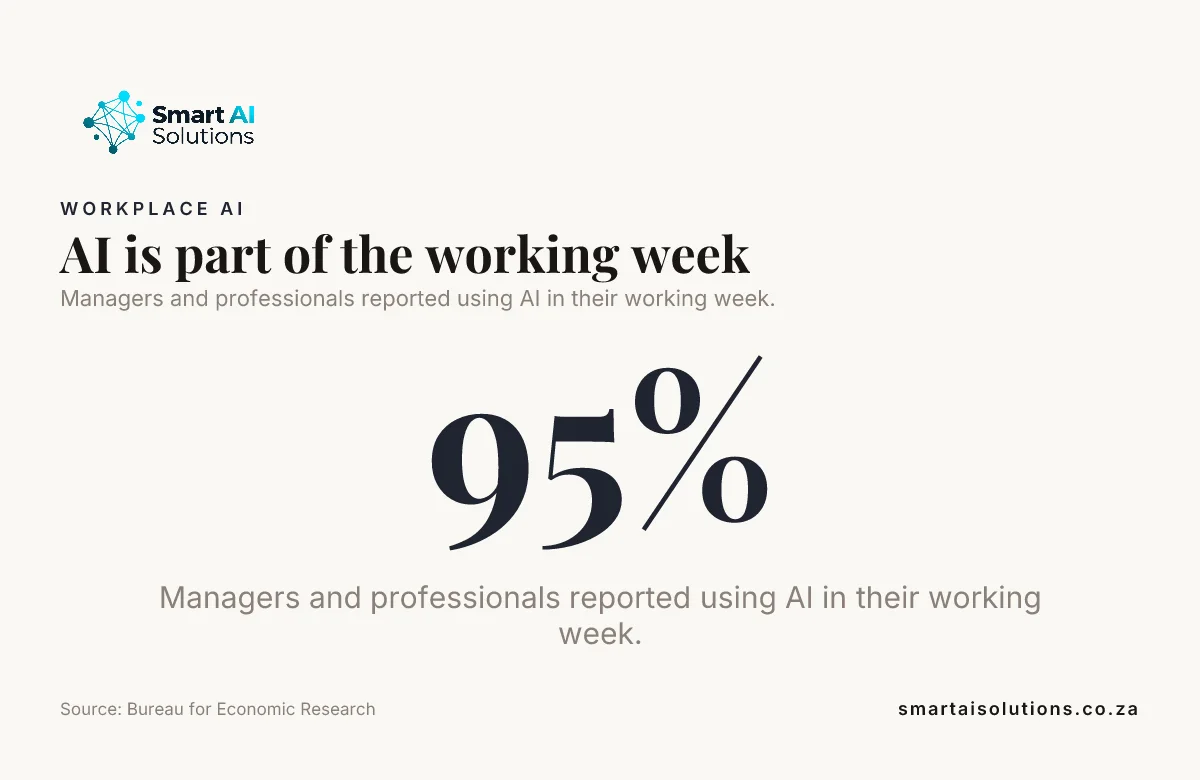
Did you know? In the Bureau for Economic Research's 2026Q1 outlook survey, 95 per cent of managers and professionals reported using AI in their working week, and 41 per cent used it for more than five hours a week. The BER notes that its 358 respondents were a self-selected group of its own readers, so treat the figures as indicative of that group. Source: Bureau for Economic Research
The morning summary: what is due and what is late
Operations days go better when you know where everything stands before the phone starts ringing. The assistant compiles a short summary before the team starts: what is due today, what became overdue yesterday, which follow-ups are waiting for a reply, which tasks are blocked and by whom, and which recurring jobs are coming up this week.
Keep it short enough to read over the first coffee. Group it by owner, so a team lead can see at a glance who is overloaded and move work around. Link each line to the task itself, so acting on it takes one click rather than a search.
The summary replaces the round of "where are we with…" calls and messages that eat the first hour of many operations days. Everyone works from the same list, and the conversation goes straight to what needs a decision.
Set limits on access, approvals and escalation
The assistant should only be able to do what its routine needs. Give it the app access and permissions its workflow requires and nothing more. Separate the permission to draft a message, to update a record and to send information, so each action has a clear limit.
Require a person's approval before sensitive or high-impact messages, anything involving money or staff, and any decision based on unclear information. Automate routine, reversible steps only when their rules are clear, and keep a person in the loop wherever judgement matters.
Write escalation rules for failed connections, overdue actions and unassigned work. Say who receives the alert and what they need to act on it: where the request came from, who owns it, what is blocking it and when it last moved.
Keep a record of what the assistant did, when and why: the trigger, the data it used and the action it took. If a task was changed wrongly, that record makes it easy to find out what happened and put it right. Review failures regularly, and adjust the routine when your processes or connected systems change. Our workflow automation service keeps the automations monitored and maintained as you add more.
Pilot it and check that work is actually moving
Prove one routine with a small group before you widen it. Use real requests, and include the awkward ones: missing details, late suppliers, unclear instructions and a connection that fails. The team then sees how the assistant handles exceptions before more people rely on it.
Check how accurately tasks were created, whether any follow-ups were missed, how many tasks went overdue, how much rework there was and how much time the team spent chasing. A reminder being sent doesn't prove the work behind it was finished, so compare the task record with the agreed outcome.
When the assistant creates duplicates, routes work to the wrong person or leaves exceptions unresolved, refine its task rules, ownership or escalation path. Add the next routine only when your team can explain how tasks are assigned, how completion is checked and when a person takes over.
We roll it out in three stages:
- Drafted, you approve. The assistant creates tasks, drafts every follow-up and builds the morning summary, and a person approves each message before it goes. Nothing reaches your suppliers, contractors or customers without your approval.
- Routine follow-ups run on their own. Internal reminders and standard chasers with clear rules go out automatically while you stay informed through the morning summary.
- Hands-off, only when you choose. Once the results show the rules are right, more of the routine runs without review. You decide when, and you can step back in at any time.
Some teams start even earlier, with the assistant only preparing the morning summary and suggesting tasks, before it drafts anything. That lets people get used to checking its work and helps decide which routines to automate first. AI team enablement can help your staff get comfortable working with it.
The Bureau for Economic Research infographic below gives context on how widely AI is already part of the working week.
What it costs to set up
The cost depends on how many routines you automate and which systems they connect. Setup is done for you: we map the routine with your operations lead, connect the apps your team uses, write the follow-up and escalation rules and test the awkward cases. You see a first real result within 48 hours of go-live, and a named person checks in during the first weeks and answers quickly.
Process automation for one routine, such as turning requests into tasks with owners, due dates and follow-ups, starts from R30,000 per workflow. AI Chatbots & Assistants, for an assistant your team can ask about task status, start from R15,000 once-off setup. Scheduling, forecasting and tracking work sits under Operations & Logistics AI, priced per project from R50,000. If you would rather have a developer on hand as routines are added, the Foundation Partner retainer is R15,000 per month for 20 hours a week. See the pricing overview for the rest.
Frequently asked questions
Questions operations leads ask when they plan an assistant for routine tasks and follow-ups.
Is a general AI personal assistant enough for an operations team?
An AI personal assistant helps one person keep track of their own day. An operations team needs shared tasks with owners, one record of status, follow-ups to people outside the business and rules about what needs approval. That is what a custom workflow assistant is built for.
Which task management app should we use?
Usually the one you already have. The assistant works with your existing task tracker, spreadsheet or job system and makes one of them the record of status. Choose a tool that shows workload by owner and supports recurring task templates, so routine work is created the same way every time.
Can the assistant work with older software that has no direct integration?
Often, yes. It can connect through an API, a secure middleware layer or a scheduled exchange of structured files. Screen-based automation can handle some older systems, but it needs careful testing because a change to a screen can break it.
How do we stop the same request becoming two tasks?
Give each request a reference and check it against open tasks before creating a new one. Where there is no shared reference, compare the requester, the subject and any order or job number, and send likely matches to a person rather than merging them silently.
Will suppliers and contractors know a machine is chasing them?
Only if you want them to. In the first stage every follow-up is drafted for a person to approve, edit and send in the team's own voice. Standard chasers go out automatically later only if you decide they should.
How can we investigate an automation that changed a record incorrectly?
Keep a record of the trigger, the data used, the action taken and the time, with access limited to the people who need it. A versioned workflow and a tested way to restore records make it easy to find the change and put it right.
Conclusion
Your operations lead should start the day knowing what is due and what is late, without chasing everyone by hand. So which custom AI assistant could help our operations team coordinate routine tasks and follow-ups? A custom workflow assistant built around a clearly mapped routine, connected to the systems your team already uses, that drafts the follow-ups and leaves the approvals with your people. Start with one recurring routine, check that tasks actually reach completion, and add the next only when ownership, follow-ups and exceptions work reliably.
Start with one problem: turning requests into tasks with an owner, a due date and a drafted follow-up, which is where most chasing starts. When that runs cleanly, add the recurring checklists and the morning summary. Process automation covers both. If you are not sure which routine costs your team the most time, an AI readiness assessment sets the order.