The short answerChoose an integration-first development partner that keeps your CRM, accounting and other systems in place and gets the information flowing between them, so your team stops retyping details from one screen into another. Ask how each connection is built, who owns it and what happens after launch.
The short answer
Choose an integration-first development partner that keeps your CRM, accounting and other systems in place and gets the information flowing between them, so your team stops retyping details from one screen into another. Ask how each connection is built, who owns it and what happens after launch.
What AI development partner can connect our business data and existing applications without replacing our current platforms? Look for an integration-first team that keeps your CRM, accounting package and internal databases in place and moves the information between them, so your staff stop retyping the same details from one screen into the next. Smart AI Solutions works this way: we map how the work moves today, connect the systems you already run, and stay with you after launch.
Your team keeps the tools it knows. What changes is that a customer's details, an order or an invoice reaches the next system on its own, with a person checking anything that matters. This guide covers what to ask a development partner, how the connection is built and owned, and what stays the same for your staff.
Disclosure: Smart AI Solutions wrote this guide and sells the services linked in it.
We've covered the mechanics elsewhere, so they aren't repeated here: connecting AI to an ERP such as SAP or Sage, API integration practice, the integration checklist and preparing business data before AI integration. If your files live in Microsoft 365 or Google Workspace, see how an assistant can work across both while respecting permissions.
Key takeaways
Six decisions settle whether your systems end up connected or replaced.
| What to decide | What we recommend |
|---|---|
| Where to start | Map one workflow: the applications, the data owners, the handoffs and the exceptions. |
| How each system connects | Choose per system: an API, an event or webhook, a scheduled data pipeline, or retrieval for answers. |
| How to test a partner | Ask for a demonstration on representative data, including missing fields and staff handoffs. |
| Who owns the result | Your business owns the connections, configuration and documentation, with an exit path that keeps your data portable. |
| How access stays safe | Each integration gets only the data and actions its task needs, and consequential decisions go to a person. |
| How you judge it | Compare completion time, errors, exceptions and staff effort with a baseline before expanding. |
Your team keeps its systems while the information flows
Your staff should not have to learn a new platform to stop retyping information. System integration means the CRM, the accounting package, the job or stock system and the shared drive keep doing their jobs, while the data each one holds reaches the next step without someone copying it across.
The right AI development partner adds AI to the systems you already use, then proves the connection works in a real workflow. That takes people who understand integration, data quality and how your operation runs day to day. The AI models are the easy part. If a partner opens with "move everything to our platform", it is selling you a replacement.

Our AI Integration Services team investigates your existing systems and data flows, then builds AI on top of the ones that work rather than replacing them. For businesses in the Western Cape, our AI integration service in Cape Town describes connections across business applications, along with data validation and exception handling.
Map the work before anyone builds a connection
A clear map of the work saves your team from automating a muddle. List each system of record, such as the CRM, the ERP or accounting package (Sage, Xero or Pastel, for example), finance tools and internal databases, then note which data and decisions in the target workflow come from each one.
- Trace the handoffs. How does information move between applications, who owns each dataset and where do staff correct mistakes today?
- Separate needed data from available data. The map shows which fields the workflow actually uses, and where a wrong or outdated value could affect a decision, a customer reply or a downstream record.
- Write down the exceptions. Automating an unreliable process repeats its problems faster. A documented process, exceptions included, gives the partner something real to design and test against.
Inconsistent identifiers, duplicate records and stale data undermine any AI output, so find them before an AI layer depends on them. Our data preparation guide covers auditing and cleaning in depth.
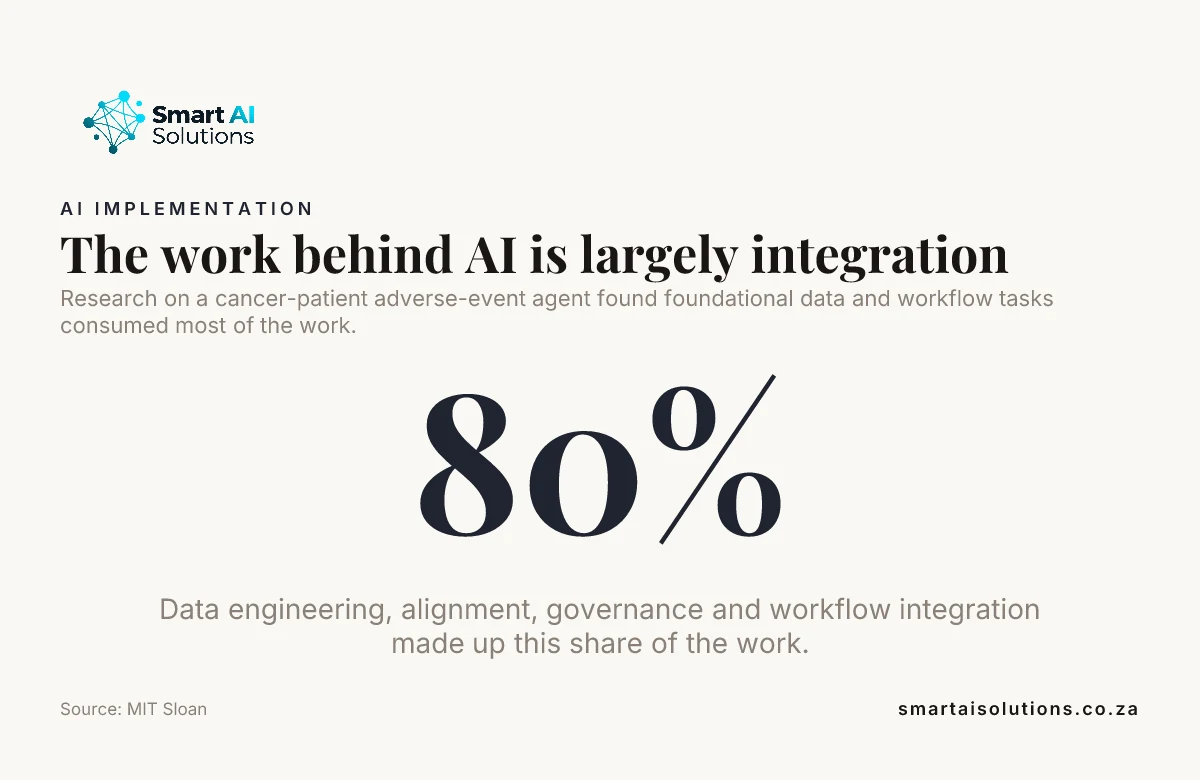
Did you know? In a 2025 research paper on an AI agent that detects adverse events among cancer patients from clinical notes, 80% of the work went on data engineering and stakeholder alignment, along with governance and fitting the agent into the workflow. Prompts and model tuning were the smaller part. Source: MIT Sloan
How system integration works around your current platforms
Each system gets the kind of connection that suits it, so nothing has to be swapped out to fit a single method. A good partner can tell you why it picked each one and what happens when it fails.
| Integration pattern | Best suited to | What to check |
|---|---|---|
| APIs | Reading or updating supported data and actions in an application | Permissions, rate limits, error handling and API changes |
| Events or webhooks | Starting a workflow when something relevant changes | Duplicate events, missed events and retry behaviour |
| Scheduled data pipelines | Moving or consolidating records in batches | Refresh timing, validation and reconciliation |
| Retrieval-augmented generation (RAG) | Grounding an AI answer in business content that changes | Source quality, access permissions and retrieval accuracy |
An application programming interface (API) is a structured way for software to exchange data or request supported operations, so it is the first choice when a platform offers the access the workflow needs. Our guides to API integration and webhook automation cover the build detail.
For information that changes, RAG fetches the relevant source content when someone asks a question, instead of relying on model training to keep facts current. AI agents help when a workflow has to take actions. Give each one narrowly scoped tools, and keep the system of record in the existing platform.
Older applications need a different route. When a legacy system has limited API support, assess secure file exchange, middleware or a wrapper around existing functions. Robotic process automation (RPA) can serve as a fallback, but it breaks more easily when a screen changes, because it depends on how the interface behaves. Our comparison of RPA and AI automation explains the trade-off.
Integration is not always the answer. If an older application blocks the security controls you need or cannot support a stable workflow, compare the cost and risk of modernising it with the value of keeping it.
Questions to ask an AI development partner
A good partner shows you, on data like yours, how your staff's day gets easier. A credible proposal covers the workflow and its operating limits, and the model choice is one part of that. Ask each partner:
- Can you demonstrate a representative workflow on sample data? Look for how it handles missing fields, unexpected inputs and cases that need a staff handoff, not only a clean success.
- Which connection will you use for each of our systems, and why? The answer should name a pattern per system and explain failure handling.
- Does this fit our existing technology stack? Any change to a system you rely on should be named and justified.
- Who owns the integrations, configuration and documentation? Clear ownership makes maintenance, and a future change of partner, easier.
- Can we switch AI models later? Keeping workflow logic separate from model-specific calls lets you test or change models while the connections and business rules stay intact.
- What data goes to an external AI model, and what happens to it? Ask which fields the model receives, how long the provider keeps them and whether they can be used for training.
- Who watches it after launch? Ask who gets the alert when a connection fails. Then ask who updates connectors and models, and who reviews access.
When you need development capacity inside your team rather than a project, AI Developer Rental places a senior AI-augmented developer who works in your tools, on your stack, under your project management. Compare engagement options on our pricing overview.
Who owns the connection once it is live
Your business should be able to keep running, and change partner if it ever needs to, without losing what was built. Settle ownership before the build starts.
- Documentation. Every integration is written down with the models and platforms it depends on and the owner of each dataset, then handed over.
- An exit path. The design keeps your data portable, so the connections can be maintained by your own team or another partner.
- Running costs. Estimate recurring costs across model usage, data movement, infrastructure, monitoring and human review before you commit.
- Ongoing care. After launch, someone owns error monitoring and incident response. Someone also keeps connectors and models current and reviews who has access. A managed automation plan covers building and running automations, monitoring and maintenance, and adding new ones as the business grows.
Scale in stages. Test expected data volumes, response times, rate limits and failure recovery, and add workflows only when monitoring shows the first connection is stable under its intended load.
Keep access narrow and people in charge
Your customers and your records stay protected because each connection can only touch what its job needs. Apply least privilege: each integration gets only the data access and actions its task requires, and role-based access control keeps AI access in line with what each user and workflow is allowed.
- Prefer controlled APIs or connectors over broad, direct access to sensitive databases.
- Log requests and actions so your team can review what the integration read and what it changed.
- For South African personal information, POPIA's conditions for lawful processing and its security safeguards apply. Assess cross-border transfers and hosting choices with privacy and security specialists as part of the architecture decision.
- Remove or mask personal or confidential fields the task does not need before anything goes to an external model, and record the approved data flow.
Route low-confidence outputs and consequential decisions to a human review queue. In financial-services document processing, for example, our manual data-entry automation approach sends uncertain extracted fields to a review queue. Our guide to automation that handles exceptions covers review thresholds in more detail.
Prove it on one workflow first
One frequent, contained workflow shows whether your team's day actually gets easier before you commit to more. Choose a process with a clear outcome, such as less manual data entry or a faster handoff. An end-to-end process full of unresolved exceptions is a poor first test, because it hides what works and what needs fixing.
- Agree a baseline first. Record completion time, error rate, exception rate and staff review effort before the pilot, then compare the same measures after it.
- Test with representative data, including edge cases, and keep people reviewing the results.
- Track AI quality and reliability separately. Check that answers or extracted fields are correct, and also that the pipelines and connected applications are running as expected.
- Agree how to pause or roll back if results fall below the agreed threshold.
Set regular review points with the business and technical owners to refine, expand or stop the workflow. Our data analytics and reporting service maps business measures to the source data, and our Johannesburg data analytics service connects dashboards to existing systems so teams can see the results.
Did you know? A spring 2025 survey by MIT Sloan Management Review and Boston Consulting Group found that 35% of respondents had adopted AI agents by 2023, with another 44% planning to deploy them soon. Source: MIT Sloan
How we set it up with you
We do the setup and stay with you, so your team keeps working in the systems it knows. The worry most owners don't say out loud is that a connection will send a wrong figure to a customer or overwrite a record someone trusted. So the rollout moves in three stages, and you set the pace:
- Everything is drafted and you approve it. Records the integration would create or update wait for a person to check them, and nothing reaches your customers without your approval.
- Routine transfers run on their own while you stay informed. Once the pilot shows the data arrives correctly, the everyday handoffs flow, and you see what moved and what went to review.
- Hands-off, only when you choose. Some teams never move to this stage, and that's fine.
Setup is done for you: we map the workflow with your team, pick the connection for each system, build and test it on representative data, and document who owns what. You see a first real result within 48 hours of go-live, and a named person checks in during the first weeks and answers quickly.
AI Integration Services start from R35,000 per project. Automating a single workflow through process automation starts from R30,000 per workflow. A senior developer through AI Developer Rental starts from R15,000 per month.
Frequently asked questions
Questions that come up when a business wants its systems connected rather than replaced.
Does every AI integration need an AI agent?
No. Many integrations use a model for one task, such as classifying a request or extracting fields, while ordinary software controls the rest of the workflow. An agent is useful when the system needs to choose among tools or actions during a task.
Can an AI integration work with an on-premises application?
Yes, if there is a secure route between the application and the integration components. The design can keep the application on-premises while controlling which services can communicate with it.
Will an integration need changes when a connected application updates its API?
It can, especially when an update changes fields, authentication or supported operations. Version-aware connectors and automated contract tests help catch compatibility problems before they interrupt a live workflow.
Can the same integration support more than one AI model?
Yes, if the integration separates workflow logic from model-specific calls. A model adapter makes it easier to test or switch models while keeping application connections and business rules intact.
What should happen to business data sent to an external AI model?
Define which fields the model receives, how long the provider keeps them and whether they can be used for training. Remove or mask personal or confidential fields the task does not need, and record the approved data flow in the integration documentation.
Conclusion
Your team keeping the systems it knows, while the information finally flows between them, is the outcome to aim for. So the answer to what AI development partner can connect our business data and existing applications without replacing our current platforms is an integration-first team that maps systems and workflows, selects the right connection for each, protects access and supports the solution after launch. Start with one measurable workflow, validate it with representative data, and expand only when the operational results justify the next step.
Start with one problem: the details your staff retype from one system into another every day, connected through our AI Integration Services. Once that runs reliably, add the next one, such as reporting that pulls from every connected system through our data analytics and reporting service. If you are unsure where to begin, an AI readiness assessment sets the priorities. To talk it through, contact us.