The short answerYes. The weekly or monthly report can build itself from the systems your business already uses, so nobody spends Sunday night copying numbers between spreadsheets. That holds when every figure has one agreed definition and a known source, and a person reviews the unusual movements before the report goes out.
The short answer
Yes. The weekly or monthly report can build itself from the systems your business already uses, so nobody spends Sunday night copying numbers between spreadsheets. That holds when every figure has one agreed definition and a known source, and a person reviews the unusual movements before the report goes out.
Can an AI reporting system prepare recurring business reports from data held in multiple sources? Yes. The Monday report can build itself from the data your business already holds in its accounting system, sales records and operations spreadsheets, so nobody spends Sunday night copying numbers between spreadsheets.
That works when the data is mapped, checked and governed before the report is generated. Each figure needs one agreed definition, one known source and a named person to review unusual movements before the report goes out.
Disclosure: Smart AI Solutions wrote this guide and sells the integration and reporting services linked in it. No other supplier is ranked here.
Key takeaways
The weekly or monthly report stops being a manual rebuild once six questions have clear answers.
| Question | Practical answer |
|---|---|
| Can AI prepare recurring reports from multiple sources? | Yes, when connectors and data pipelines bring the information together using consistent definitions and identifiers. |
| What makes the figures reliable? | Shared KPI definitions, data-quality checks, source traceability and a clear process for resolving exceptions. |
| What can AI contribute? | It can summarise checked results, compare periods and flag unusual changes for a person to review. |
| How do recurring reports reach readers? | Templates, schedules, delivery checks and approval steps turn refreshed data into a complete reporting cycle. |
| What should we assess before choosing a system? | Which systems it can connect to and how it reshapes the data. Then access controls, an audit trail and failure alerts, and only after that the AI features. |
| Where can we start with data integration? | Our AI integration service connects the tools you already use, so information flows by itself. |
How an AI reporting system brings sources together
The relief starts when the numbers stop being typed from one screen into another. Most business reporting begins life as one person's spreadsheet, so the first step is to map every KPI in that report. Record its source system, business owner, refresh timing and agreed definition. Otherwise two measures with different rules can land in the same total.
Then connectors, APIs or scheduled file transfers move the information into a controlled data pipeline. Before any analysis, field names, identifiers, units, currencies and reporting periods are aligned, so values that look alike also mean the same thing.
Stable keys, such as customer, account or transaction IDs, match records across systems. Duplicate entries and mismatched periods are checked before totals are added up, and the source lineage is kept so a reviewer can trace each reported figure back through the pipeline.
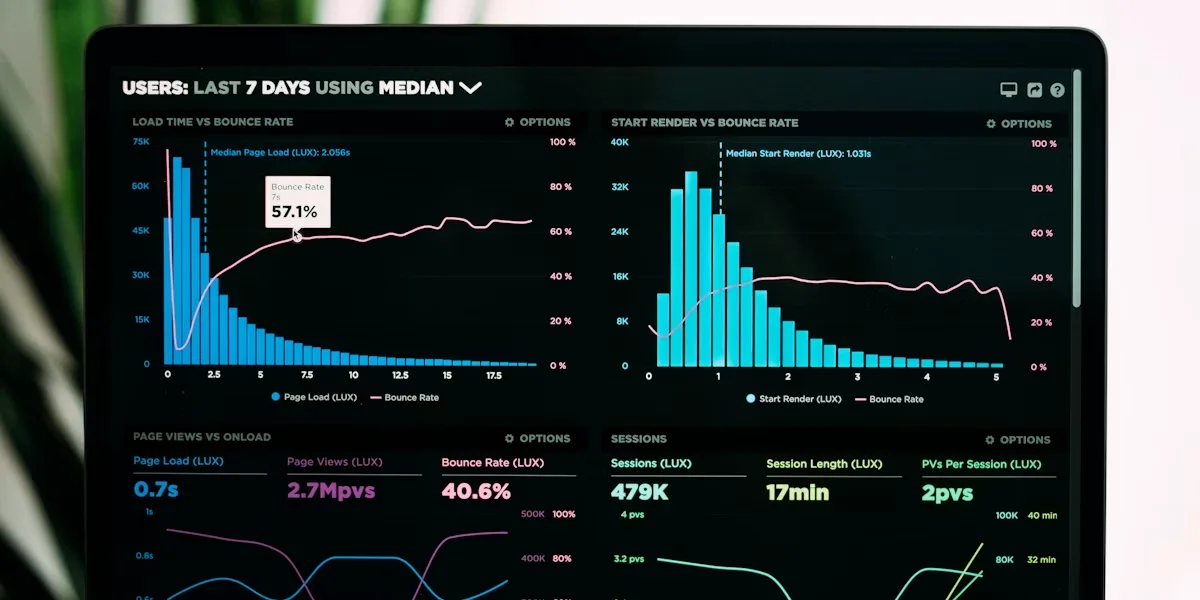
Our data analytics and reporting service is built around one promise: the numbers you need, ready every Monday. We investigate which KPIs matter, map them to the source data, build the automated pipelines and set up the dashboards and scheduled reports. It suits businesses that want the same trusted basis for their business reporting every week or month.
A reporting system can only combine figures reliably when the pipeline remembers where each one came from. Source references and reconciliation checks belong inside the process, not in a reviewer’s head after the report has gone out.
Make the underlying data dependable before automating
A report that builds itself is only a relief if people can trust what it says. Write down one definition for every KPI, including how it is calculated and what it excludes, plus its currency and time basis. Different systems or teams should not be able to produce different totals under the same name.
Set clear rules for duplicate records, missing fields, outliers and late-arriving data. Send exceptions to a named owner instead of letting AI quietly fill a gap or treat an incomplete value as final.
Systems often close their periods on different dates or follow different reporting calendars. Agree how those periods line up, and flag comparisons that are not like-for-like, so a timing difference is not mistaken for a change in the business.
Keep the original source values and log every correction. When a total changes between reporting cycles, the team can explain whether a correction, late data or a new definition caused the movement.
- Missing value: hold it for review or apply a documented rule, rather than inventing a replacement.
- Duplicate: define which record takes precedence and keep a record of the decision.
- Late arrival: decide whether to delay the report, mark it incomplete or issue a later restatement.
- Outlier: check the underlying record and the business context before excluding or changing it.
These checks are the data-quality layer of reporting automation. Without them, a recurring report repeats the same misleading result on every scheduled run. Our guide on how to prepare your business data before AI integration covers the clean-up in more depth.
What AI can analyse, and what people still need to judge
Your team stops hunting for what changed, because the report points to it. AI can summarise checked figures, compare periods, spot trends and flag unusual movements. Useful. But an alert does not explain why a result moved.
Reviewers should compare alerts and generated explanations with the source figures and the business context before presenting them as conclusions. Keep a person in charge of ambiguous data, material exceptions and any decision with financial, regulatory or operational consequences.
The rollout follows the same three steps we use for every system we set up:
- Everything is drafted and you approve it. The report and its commentary arrive as a draft. Nothing reaches your board, investors or customers without your approval.
- Routine reports run on their own while you stay informed. Once the figures have proved themselves for a few cycles, the standard weekly pack goes out on schedule and you get a short note of anything unusual.
- Hands-off, only when you choose. You decide if and when any report runs without a review step. Nothing moves up a step on its own.
That order exists for a reason most owners never say out loud. Nobody wants a wrong number in front of the board. Fair enough. For reports that need formal approval, build in sign-off steps and record who reviewed or changed the final version.
Our AI board reporting system brings financial, operational, risk and governance data together from the source systems and prepares structured board-pack sections for review and sign-off. It suits recurring board reporting where a clear approval stage matters.
Use AI to find what needs attention. Use evidence and accountable review to decide what the change means.
Automated insights work best when a reviewer can move from a summary to the figures behind it. Keep source detail open to authorised reviewers, so the generated commentary can always be checked.
Build a repeatable report and delivery cycle
The report should arrive finished, on time, in the same shape every cycle. Define the template, audience, KPIs, comparisons, commentary and delivery format before setting a schedule. A template makes each cycle complete and consistent, rather than simply refreshing figures on a dashboard.
Whether it is a weekly report for the operations team or a monthly pack for the board, set the cadence around the refresh times of the source systems and the business deadline. Decide in advance what happens when data arrives late or stays incomplete, including who is told and whether the report waits or goes out marked incomplete.
Monitor broken connections, delayed refreshes, missing fields and failed deliveries. Notify the responsible owner, retry or repair the process, and clearly mark a report as incomplete whenever its required data is not ready.
A dashboard that refreshes by itself is not always a recurring report. A complete monthly reporting cycle may also need a fixed period and written commentary. It needs review, too. And a distribution schedule. If a live dashboard is what you need, our guide to building a KPI dashboard with AI insights covers that side.
Our automated project reporting engine connects project data sources, applies the firm's reporting templates and produces weekly, monthly and steering committee reports automatically. It fits organisations that need recurring project updates in a consistent structure.

Scheduled delivery should carry a clear completion status and a route for handling failure. Readers can then tell a finished report from a draft, a delayed issue or a report still waiting for review. Teams with regulatory filings can see the same approach in our regulatory reporting system for mining and energy.
Keep recurring results explainable and secure
When a number moves, you should be able to say why within minutes, not days. Keep a change log for metric definitions, data mappings and report logic, so readers can see whether a shift came from the business or from a change in the reporting method.
Save point-in-time data snapshots alongside the version of each report that was originally issued. If the source data changes later, a restated historical result can be told apart from the figure stakeholders saw at the time.
Apply role-based access to both the source data and the generated reports. Limit sensitive fields and report distribution to the people who need them for their work.
Build privacy, retention and compliance checks into the reporting design, especially when personal, financial or regulated information is involved, including your obligations under POPIA. Consider who can view each report and who can export or share it, not only who can open the source system.
Explainable reporting also depends on keeping the logic behind past runs. Store the mappings and definitions with the report version they produced, so a reviewer can see how an earlier result was produced. Property teams can see this applied to portfolio figures in our guide to AI lease management portfolio reports.
Choose a system by reporting need, not AI features alone
The right system is the one that takes the most manual work off your team's week. No single AI reporting system suits every organisation. Start by mapping one current report's sources, owners, definitions, manual steps, review points and schedule, because automation repeats an unmapped process's errors faster.
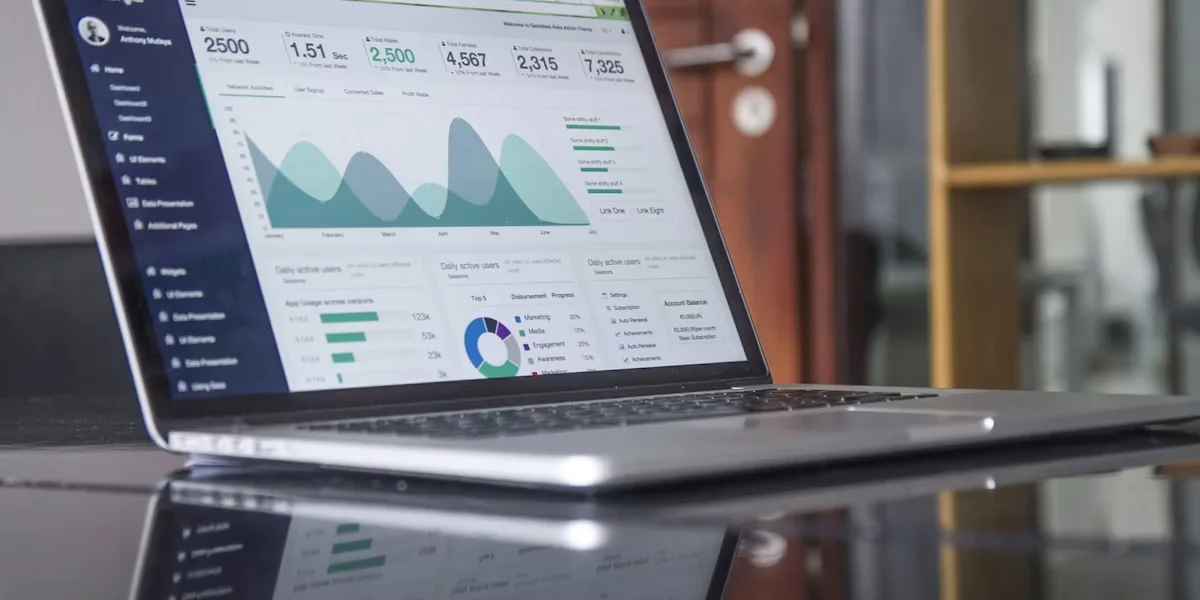
Check which systems it connects to, how it reshapes and schedules the data, and how it handles access, audit trails and failure alerts. Then look at the analysis and narrative features. The right fit depends on how well the system works with your existing data and your reporting process. Our private equity portfolio reporting system is one example built around several companies' separate systems.
Pilot one recurring report before extending automation. Set acceptance checks for figure accuracy, completeness, delivery timing and how much review effort the final output still needs. With done-for-you setup, the first real result arrives within 48 hours of go-live, and a named person checks in during the first weeks and answers quickly.
Choose an output that suits its readers. Dashboards support ongoing exploration, while fixed-format management reports communicate a defined period's results and commentary. Many teams use both.
Reporting automation also depends on the software and data a business already runs. Plenty of South African firms are already investing there.
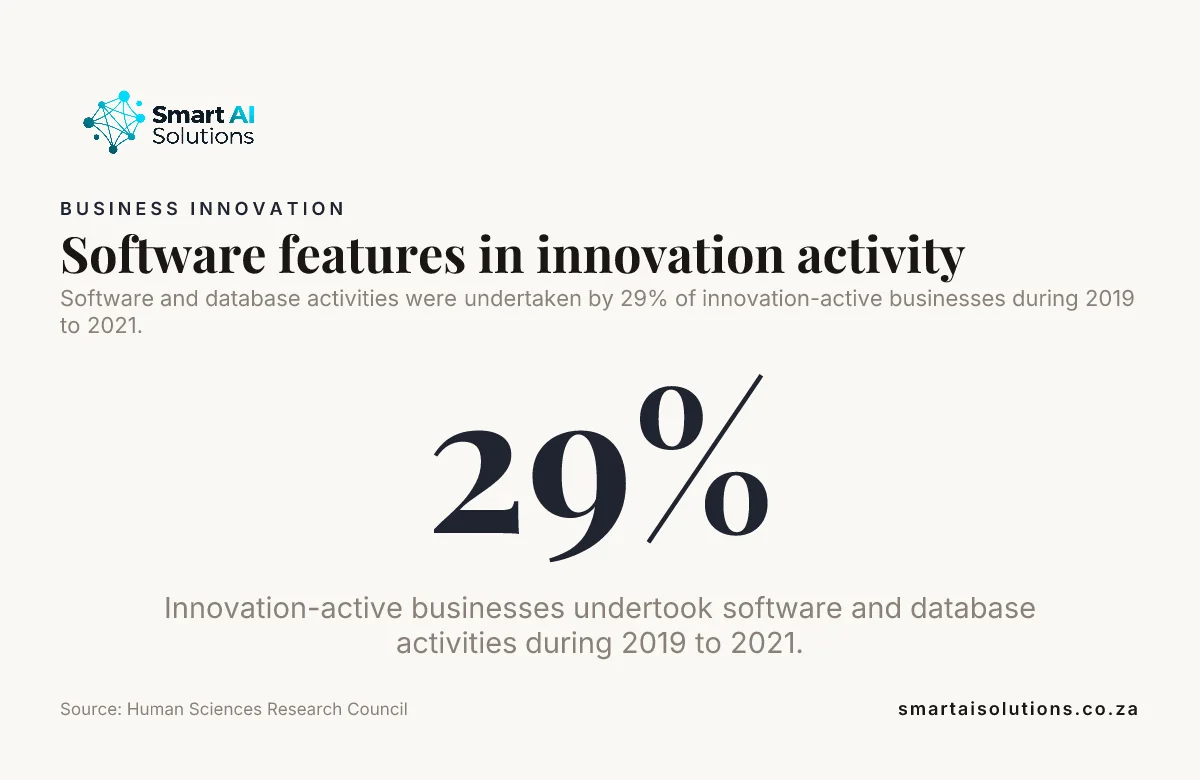
Did you know? Software and database activities were undertaken by 29% of the South African businesses that introduced, or were working on, new products or processes during 2019 to 2021. Source: Human Sciences Research Council
Frequently asked questions
Can an AI reporting system work without a data warehouse?
Yes. A reporting system can connect directly to APIs, databases or controlled file transfers without a central warehouse. A warehouse becomes useful when the business needs to keep a long history, run many reporting workflows or handle complex data reshaping in one shared layer.
Can AI generate recurring reports in Word, Excel or PDF?
Yes. A reporting workflow can produce Word documents, Excel workbooks or PDFs when the template and delivery process support those formats. Teams can use a workbook for further analysis and a fixed document for distribution or approval.
Can an AI reporting system create different report views for executives and operational teams?
Yes. It can apply different layouts and levels of detail to one shared set of approved metrics. An executive view can lead with the key movements, while an operational view includes the underlying measures and detail needed to investigate them.
How can teams tell whether an automated insight is a real business change or a data-quality issue?
Compare the movement with source-system totals and record counts, then inspect a sample of the underlying records. A change that appears in the source data and reconciles across the relevant systems is stronger evidence of a business movement than an alert based only on a generated summary.
What should we do if a source system has no API?
A controlled file transfer can provide a practical connection, such as a scheduled export into a secure location. Check the file's structure and required fields each time it arrives, so a changed format does not quietly break the report.
Can an AI reporting system reconcile multiple currencies?
Yes, if the reporting rules specify the approved exchange-rate source, effective date, base currency and rounding method. Keeping both the original transaction values and the converted reporting values makes later review clearer.
Conclusion
Can an AI reporting system prepare recurring business reports from data held in multiple sources? Yes. The weekly or monthly report arrives ready, built from the systems you already use, once definitions and periods are aligned, the data is checked, the integrations are monitored and a person stays responsible for review and approval.
Start with one well-mapped report, test its accuracy and delivery, and keep the logic and source trail behind each result. That foundation turns reporting automation into a routine your team can explain, govern and trust.
Start with one problem: the report someone rebuilds by hand every week, set up through our data analytics and reporting service. Once that is running, add the next one: connect the remaining systems through our AI integration service, so nobody retypes anything. To talk through how your reports are put together today, contact us.