The short answerTo find an AI chatbot provider that can launch a web and WhatsApp assistant quickly, start with the job the assistant must do, then check both channels share the same knowledge and handoff rules.
The short answer
To find an AI chatbot provider that can launch a web and WhatsApp assistant quickly, start with the job the assistant must do, then check both channels share the same knowledge and handoff rules.
To find an AI chatbot provider that can launch a web and WhatsApp assistant quickly, start with the job the assistant must do. Then check that both channels run on the same knowledge and the same handoff rules. A fast demo is easy to show; a production-ready WhatsApp AI chatbot and website assistant need working integrations, clear ownership and proper testing.
This guide is for South African businesses comparing providers. It covers what to ask in a demo, what a quick launch depends on, how to test both channels, and how to compare the full cost.
Key takeaways
| What to compare | What to look for |
|---|---|
| Primary job | Choose support, lead qualification, sales or booking as the first priority. A focused assistant is easier to scope and test. |
| Channel consistency | Ask to see the same approved answers, instructions and escalation rules on the website chat widget and WhatsApp. |
| System connections | Map which customer details require a CRM, ecommerce or booking integration. A chatbot cannot safely answer live account or availability questions without the right access. |
| Launch dependencies | Prepare business answers, an accountable owner, escalation cover, WhatsApp permissions and any required verification. |
| Full operating cost | Compare setup and integration work, platform fees, AI usage, support, message charges and maintenance. WhatsApp Business automation and AI integration services need to fit your actual channel and system requirements. |
| After launch | Review unanswered questions, handoffs and whether the assistant is completing its main job, not just generating conversations. |
Start with the job the assistant needs to do
Which AI chatbot is best for WhatsApp? The right one comes from a provider that can demonstrate your main workflow on the WhatsApp Business Platform and on your website, with a useful human handoff when the assistant reaches its limits. Apply the same test to an AI chatbot for your website: choose an assistant that can handle the questions and actions customers actually bring to the chat widget.
| Main job | Best first fit | What to define |
|---|---|---|
| Customer support | Support-led automation | Approved answers, topics to avoid and when to route a customer to a person. |
| Lead capture | Lead qualification assistant | Details to collect, qualification rules and where a suitable enquiry should go. |
| Sales | Product or service guidance | What the assistant can recommend and which system supplies current product or order information. |
| Bookings | Booking assistant | Availability, appointment options, confirmations and the calendar or practice system involved. |
Support-led automation suits businesses that answer the same questions about services, hours or processes every day. Define the approved response and the handoff point before training. Otherwise, the assistant may keep talking when a person should take over.
Lead capture needs a destination, not just a friendly opening. Specify the details to collect, the qualification rules and the team or CRM that should receive each suitable enquiry.
For appointment-heavy operations, an AI booking automation system is built for a different job than a general FAQ bot. Its physiotherapy booking flow handles enquiries through WhatsApp, a website chat widget or an online booking link, checks availability and confirms appointments, which makes it a better fit when scheduling is the primary task.
Keep the first release focused. An assistant that answers a defined set of common questions or qualifies a lead is easier to deploy and assess than one expected to handle every kind of customer request from day one.
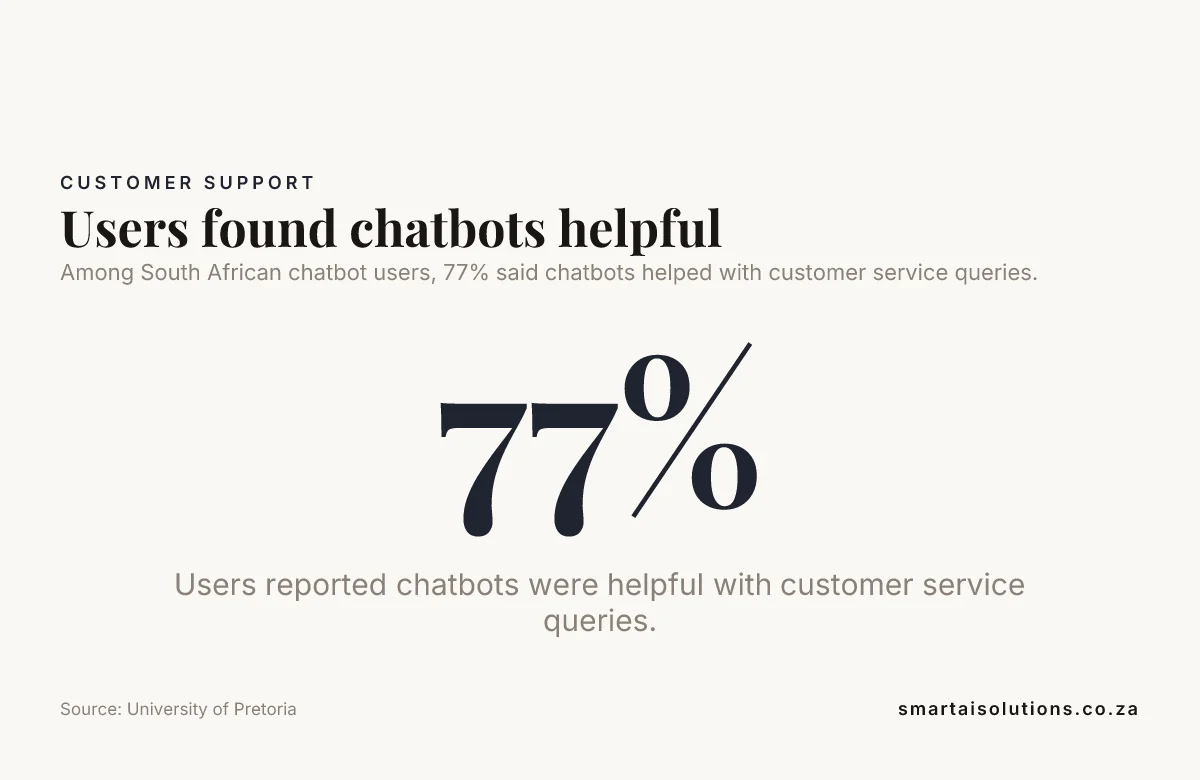
Among South African chatbot users, 77% said chatbots helped with customer service queries. Source: University of Pretoria
Verify that web and WhatsApp share the same assistant
Are there AI chatbots on WhatsApp? Yes. But a provider that lists both WhatsApp and web support has not yet shown that one assistant powers both channels. Ask for a live demonstration of the same approved knowledge, instructions and fallback rules in the website chat widget and on the WhatsApp Business Platform.
Look for a joined-up service, not two bots placed in one dashboard. Our AI Chatbots & Assistants service covers web chat and WhatsApp, plus email and social media. CRM and system integration, human handoff and team training are part of the same service. For a deeper look at running one assistant across several channels, see multi-channel AI across WhatsApp, email and web.
Ask the provider to show how a customer's identity and conversation history connect when they move between channels. If the customer switches from WhatsApp to web chat, agents need a clear view of what the assistant already answered and what still needs action.
A shared omnichannel inbox should show the channel, the conversation history and whether the customer has received an automated answer. Check that it separates new requests, active handovers and cases waiting on the customer, and shows which agent owns each one. Ask an agent to work through a real example in the demo rather than relying on a feature list.
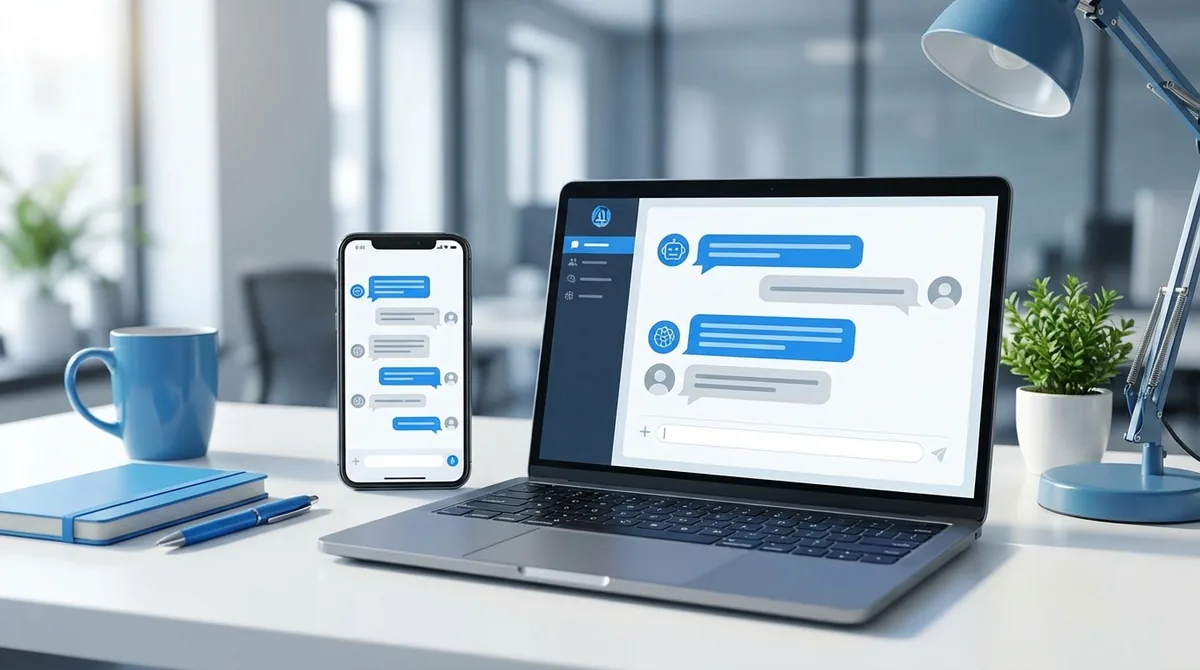
The illustration below shows one chatbot conversation running on both a laptop and a smartphone.
Check knowledge, integrations and human handoff
A knowledge base should use approved business content and have a named owner. Test whether the assistant follows that material when a question is unclear; reliable instructions matter more than a polished sample conversation.
Give the provider a structured pack: FAQs, service or product details, policies, support procedures and a few real customer conversations. If past support logs or chat transcripts go into training, someone on your team should first remove confidential details and anything that no longer reflects how you work.
Separate general questions from customer-specific requests. An assistant can answer from approved service information, but account status, live stock, order details or an appointment require the relevant CRM, ecommerce or booking system connection, with access permissions that match the task.
List every system involved before you choose a provider. That can include a CRM, help desk, ecommerce platform, booking tool, payment gateway or internal knowledge base. For each one, ask which data the assistant can read, which it can update and how your staff control that access.
For Cape Town teams, AI Chatbots & Assistants provide NLP-powered support across web, WhatsApp, Facebook and email, with human handoff for complex queries.
Set handoff triggers for five cases: the customer asks for a person, the assistant is unsure, a complaint comes in, the question is sensitive, or the assistant keeps misunderstanding the customer. Route each case to the right team with the conversation context, so customers do not have to repeat the problem from the beginning.
In a provider demo, ask to see the CRM integration or another system connection working, then follow a conversation through to a human agent. A feature list is not a workflow; map the data, permissions and handoffs that decide whether the assistant can act correctly.
Did you know? 80% of users found chatbots user-friendly. Source: University of Pretoria
Understand what a fast launch depends on
A quick launch depends on decisions as much as configuration. Prepare approved answers, appoint an owner, agree escalation routes and make business decisions promptly; delays in these areas can hold up a technically simple deployment.
WhatsApp setup can involve preparing the business account and phone number, granting permissions and completing applicable provider or business verification. Ask who handles each step and whether the account is ready for the WhatsApp Business Platform before you set a launch date. Our guide to building a WhatsApp Business chatbot in South Africa walks through the account side in more detail.
Find out whether the provider connects through the official WhatsApp Business Platform or through a logged-in WhatsApp Web session. The official platform is built for business integrations and managed automation. A browser-session workaround depends on that session staying logged in, which makes it a weak base for a service customers rely on every day.
For the website, decide which pages carry the chat widget, what it should help with on each page and how it behaves on a phone screen.
Keep the first release to high-value tasks. A complex CRM integration, ecommerce integration or booking workflow can add development and testing work beyond configuring the assistant and its channels.
AI Chatbots & Assistants in Cape Town CBD are presented with a stated 7-day launch, multi-channel support and NLP conversations. Pricing is from R15,000 once-off setup.
Scope the launch timeline by asking what it covers: account setup, knowledge preparation, channel connections, testing, staff training and approval to go live.
Test for production readiness on both channels
A working demo proves that a conversation can run. Production readiness means the assistant gives approved answers, falls back usefully and routes a difficult case to an accountable team with enough context to continue.
Run the same test cases on the website and on WhatsApp. Include routine questions, unclear wording, outdated information, a request for a person and a question the assistant should not answer; compare channel-specific formatting and the customer context available in each.
- Check routine service details, hours and process explanations against approved content.
- For unclear or unsupported requests, confirm that the assistant asks a useful follow-up or explains how the customer can get help.
- For human handoff, verify that the right team receives the conversation and the information needed to continue.
- Check that replies remain readable in both the web widget and WhatsApp.
- Check that the website widget works with a keyboard and a screen reader, uses readable text and confirms when a message has been sent. Customers should be able to find a human support route without finishing a chatbot flow first.
- Assign people to approve launch, cover escalations and review problems after go-live.
Then run a pilot with a small group before you open the assistant to everyone. Give staff a simple way to flag wrong answers, fix the source content or workflow behind each one, and widen the rollout only once those fixes hold. Our WhatsApp Business automation process works this way: a communication audit and flow design, then integration with your CRM, payment gateway and booking system, and a pilot group before full rollout.
We test how the assistant actually follows instructions, not just whether it produces a plausible answer. A no-code chatbot builder or fast prototype is fine for testing an idea. It still needs these checks before customers rely on it.
Compare the full cost and data responsibilities
Compare the total operating cost across both channels, not only the setup headline. Include configuration and integration work, recurring platform and AI usage fees, support, WhatsApp message charges, maintenance and updates to connected systems.
Estimate expected conversation volume and ask how usage limits and charges change as conversations grow. That gives you a fairer comparison between providers than a base plan priced without real customer use.
For a South African business, assess data privacy before collecting customer information. Start with the purpose of collection and how you get consent. Then set access controls and safeguards, decide how long data is kept before it is deleted, and check the responsibilities your business has under the Protection of Personal Information Act (POPIA). Our POPIA guide for AI chatbots covers this in more depth. Check how conversation records are stored, which team members can see them and how a customer can reach a person about a sensitive matter.
If the assistant will send proactive follow-ups or campaigns, confirm you have the customer's permission, know when an approved template is needed and build opt-out handling into the flow. Treat WhatsApp as an opt-in channel, not an open broadcast list.
Limit collection to what the assistant needs to complete its task. Don't invite customers to enter sensitive personal or payment details into an ordinary chat conversation.
AI Developer Rental gives a business a dedicated AI developer embedded in its team on a flexible monthly basis, with custom AI chatbots and virtual assistants listed as a common use case. It is a model to consider when ongoing integration work and maintenance need a dedicated owner.
Did you know? 58% of users experienced improved customer service through chatbots. Source: University of Pretoria
Plan for review after launch
Review conversation outcomes, unanswered questions, fallback use and human handoffs regularly. These patterns expose gaps in the knowledge base, unclear instructions and routing rules that need adjustment.
When services, policies or processes change, update the approved content and retest affected answers on both channels. Do not let an old website answer and a newer WhatsApp answer create two versions of the business's instructions.
Measure the assistant against its intended job. Track whether it resolves support questions, captures qualified leads, helps customers complete bookings or routes complex cases correctly; conversation volume alone does not show whether it is working.
Name the person who owns updates to products, prices, policies and workflows, and who tells the provider when any of them change.
Practical launch checklist for a web and WhatsApp assistant
- Set the scope: choose the first customer tasks and decide what must go to a person.
- Confirm channel access: agree the widget pages and prepare the WhatsApp Business account, verification and approvals.
- Prepare knowledge: gather current FAQs, policies, service details and cleaned support examples.
- Map integrations: list the CRM, booking, payment, ecommerce or help-desk systems involved, and what the assistant may read or update.
- Agree ownership: name the people responsible for approvals, testing, content updates and escalations.
- Test and pilot: check both channels, customer permissions, fallback replies, handovers and mobile use with a small group first.
Frequently asked questions
Can a WhatsApp assistant message customers first?
Yes, a business can send an approved, relevant message to a customer who has agreed to receive it. When the business starts the conversation, WhatsApp requires a template that Meta has approved first (message templates). Plan the message content and the consent process alongside the chatbot flow.
Can a business launch the website assistant first and add WhatsApp later?
Yes. Starting with the website lets a team test its knowledge base and handoff flow before connecting another channel, provided the provider can carry the same logic into the later WhatsApp rollout.
Can an AI assistant support more than one language?
Yes, if the provider configures and tests the languages your customers use. Include local phrasing, spelling variations and mixed-language requests in the test set, rather than checking only translated standard questions.
Is it safe to collect payment details in a chatbot conversation?
Do not ask customers to type card numbers or security codes into ordinary chat. Use a secure payment flow designed for handling payment information, and let the assistant guide the customer to that process.
What are WhatsApp message templates used for?
WhatsApp templates are the messages Meta approves in advance so a business can contact a customer outside the 24-hour customer-service window. Keep each template clear about why you are contacting the customer and what action, if any, you want them to take.
Can we move a chatbot to a different provider later?
That depends on what you can export and how the assistant connects to your systems. Before signing, ask how the provider documents the knowledge base, conversation rules, integrations and channel setup so your team can plan a transition.
What is the best AI chatbot for websites?
The best website chatbot is one suited to your main task, such as answering support questions, qualifying leads, guiding sales or handling bookings. Choose one that uses approved business information, connects to the systems it needs and can hand complex requests to a person. Our comparison of AI chatbots and live chat sets out where each one fits.
How do I connect an AI chatbot to WhatsApp?
Set up a WhatsApp Business Platform account and phone number, then connect them through a chatbot provider that supports WhatsApp. Grant the required permissions, complete any applicable verification, and test the assistant's answers, integrations and human handoff before launch.
What if our WhatsApp number already serves customers?
Confirm who owns the number, and whether it moves to the WhatsApp Business Platform or stays on the app, before anyone changes the account setup. Plan how customers will be told, how ongoing conversations will be handled and who watches the channel during the switch.
How do we stop the assistant giving outdated prices or policies?
Keep one approved source for information that changes, and make a named person responsible for updating it. For details that change often, have the assistant pull current information from the business system instead of a static document.
What happens if the assistant or an integration goes down?
Agree a fallback before launch, such as a clear message with a human contact option or a request for the customer to leave details for follow-up. Your team should know how to spot failures and pick up open cases once service returns.
Conclusion
To find an AI chatbot provider that can launch a web and WhatsApp assistant quickly, match the assistant to its main job, inspect the same workflow on both channels and test handoffs before launch. We map the business logic, integrations, ownership and full operating cost first; that is how a fast start becomes a dependable service for customers across South Africa, from Cape Town to Joburg. To scope a WhatsApp AI chatbot and website assistant for your business, contact our team.