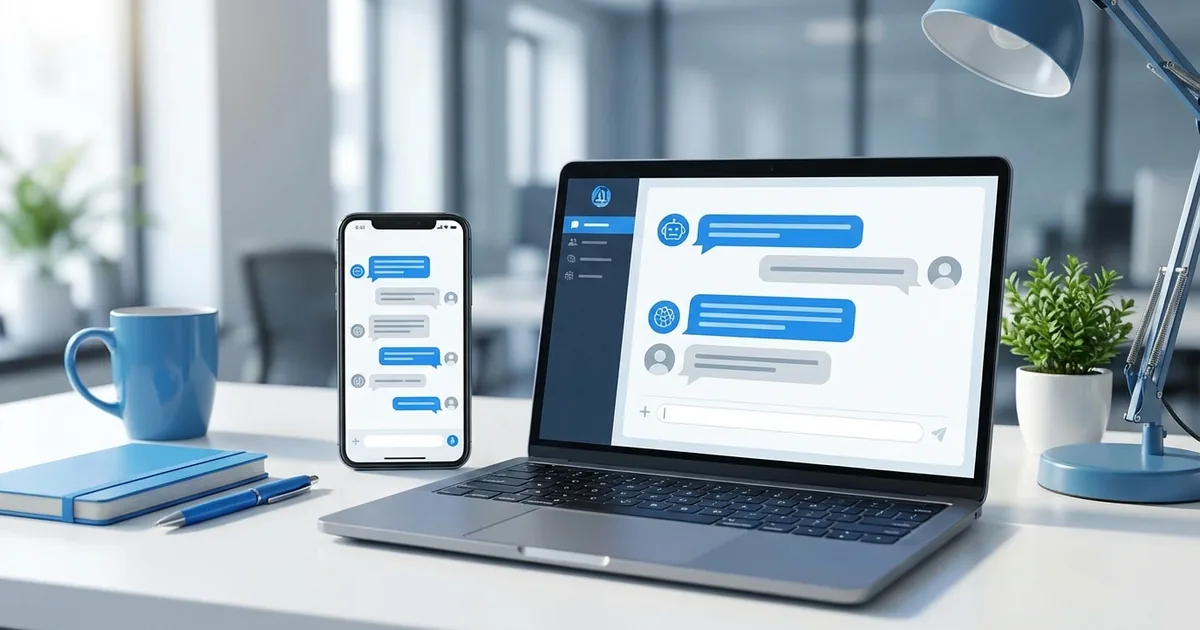
The short answerA complete guide to implementing WhatsApp Business API chatbots in South Africa, with costs, requirements, and best practices.
The short answer
A complete guide to implementing WhatsApp Business API chatbots in South Africa, with costs, requirements, and best practices.
Why WhatsApp for Business in South Africa?
Direct answer: WhatsApp is the dominant messaging platform in South Africa, with over 25 million active users. For businesses, WhatsApp Business API offers a direct channel to customers where they're already spending time.
Current as of 31 May 2026: This article has been reviewed for the 2026 South African AI, SEO, and automation market. Pricing, platform capabilities, Google rich-result rules, and AI model features change quickly, so verify live vendor documentation before procurement. For privacy and data handling, use the Protection of Personal Information Act as the baseline; for search and structured-data implementation, use Google Search Central.
A WhatsApp chatbot automates customer interactions at scale while maintaining the personal feel of WhatsApp.
Industry-specific WhatsApp automation is available for healthcare patient communication and dental practices automating patient reminders.
WhatsApp Business API vs WhatsApp Business App
WhatsApp Business App (Free)
Pros:
- Free
- Easy setup
- Basic automation (greeting, away messages)
Cons:
- Single device only
- Manual responses
- Limited automation
- No API access
- Max 5 admins
Best for: Micro businesses, solopreneurs
WhatsApp Business API (Paid)
Pros:
- Unlimited users
- Full automation possible
- Integration with systems
- Advanced chatbots
- Multiple phone numbers
- Rich media support
Cons:
- Requires approval
- API costs
- Technical setup needed
Best for: SMEs, enterprises scaling customer communication
This guide focuses on API implementation for chatbots.
Learn about our WhatsApp automation services
| Step | Action | Tool/Resource | Time Estimate |
|---|---|---|---|
| 1 | Define automation scope | Process mapping workshop | 2-4 hours |
| 2 | Prepare data | Data cleaning scripts | 1-2 days |
| 3 | Build pilot | AI platform of choice | 1-2 weeks |
| 4 | Test and validate | A/B testing framework | 1 week |
| 5 | Deploy to production | CI/CD pipeline | 1-2 days |
Prerequisites
Business Requirements
- Registered South African business
- Facebook Business Manager account
- Verified business website
- Dedicated phone number (not used for regular WhatsApp)
- POPIA-compliant data handling
Technical Requirements
- BSP (Business Solution Provider) partnership
- Webhook endpoint for receiving messages
- Integration with chatbot platform
- SSL certificate (HTTPS)
Cost: R15K-R40K initial setup, R3K-R15K monthly operational
Step-by-Step Implementation
Step 1: Choose Your BSP (Week 1)
WhatsApp requires businesses to work through approved Business Solution Providers:
Popular BSPs in South Africa:
- Twilio
- MessageBird
- 360dialog
- Infobip
What to Consider:
- Pricing (per conversation, not per message)
- Feature set
- Support quality
- South African presence
Typical Costs:
- Setup: R0-R15K
- Per conversation: R0.10-R0.50 (user-initiated) or R0.30-R1.00 (business-initiated)
- Monthly minimum: R500-R5K
Step 2: Get Approved (Weeks 1-2)
Application Process:
- Submit business details to BSP 2. Facebook reviews application 3. Approval typically takes 1-3 business days 4. Receive WhatsApp Business API credentials
Approval Requirements:
- Legitimate business with online presence
- Clear business use case
- Compliance with WhatsApp policies
Rejection Reasons:
- Incomplete information
- Suspicious business activity
- Policy violations
Step 3: Design Your Chatbot (Week 2-3)
Key Decisions:
1. Use Cases
- Customer support (FAQ, order status)
- Lead generation (qualification, booking)
- Notifications (order updates, appointments)
- Sales (product info, recommendations)
2. Conversation Flow
- Welcome message
- Menu options
- Common queries
- Human handoff triggers
3. Tone and Personality
- Friendly vs. professional
- Use of emojis
- Language (English, Afrikaans, local slang)
Example Flow:
Bot: "Hi! Welcome to [Business]. I'm here to help with: 1️⃣ Check order status 2️⃣ Product information 3️⃣ Store locations
4️⃣ Speak to a human

Reply with a number or ask me anything!"

User: "1"

Bot: "Great! To check your order, please share your order number (e.g., ORD-12345)"

User: "ORD-67890"

Bot: "Your order #67890 was shipped yesterday and will arrive by Friday. Tracking: [link]

Anything else I can help with?"
Step 4: Build the Chatbot (Weeks 3-6)
Option A: No-Code Platforms
Tools like:
- Landbot
- ManyChat
- Chatfuel
Pros: Fast setup (1-2 weeks), no coding Cons: Less customization, limited AI Cost: R2K-R10K/month
Option B: Custom Development
Build with AI frameworks:
- Dial ogflow
- Rasa
- LangChain + GPT-4
Pros: Full customization, advanced AI Cons: Longer development (4-8 weeks) Cost: R80K-R250K development
Most SA SMEs choose custom development for better results.
Step 5: Integration (Week 6-7)
Connect to Your Systems:
- CRM (customer data)
- Order management
- Inventory system
- Booking calendar
- Knowledge base
API Integration:
WhatsApp → BSP → Your Chatbot → Your Systems → Response → BSP → WhatsApp
Common Integrations:
- Shopify (e-commerce)
- Zoho CRM
- Google Calendar
- Custom databases
Step 6: Testing (Week 7-8)
Test Scenarios:
- Happy path (everything works)
- Edge cases (unusual requests)
- Error handling
- Human handoff
- Multiple languages
- Message timing
Beta Testing:
- Internal team (1 week)
- Select customers (1 week)
- Gather feedback
- Refine responses
Step 7: Launch (Week 9)
Soft Launch:
- Announce to existing customers
- Add to website
- Include in email signatures
- Social media posts
Monitor Closely:
- Response accuracy
- Handoff frequency
- User satisfaction
- Conversation completion rate
WhatsApp Chatbot Best Practices
1. Get Permission (POPIA)
Only message customers who:
- Opted in explicitly
- Started conversation first
- Gave consent for marketing
Non-compliance risks R10M fines.
2. Respond Quickly
WhatsApp users expect immediate responses:
- Acknowledge within 30 seconds
- Answer simple queries instantly
- Complex queries: "I'll get that info, one moment"
3. Use Rich Media
WhatsApp Supports:
- Images (product photos)
- Videos (demos)
- Documents (catalogs, invoices)
- Location (store finder)
- Interactive buttons
- Quick reply buttons
4. Provide Easy Human Access
When to Escalate:
- Bot doesn't understand (after 2-3 attempts)
- Customer frustrated (sentiment detection)
- Complex issue
- Customer explicitly requests human
Handoff Message: "Let me connect you with [Name/Team]. They'll be with you shortly."
5. Keep It Conversational
Write like you'd text a customer:
- Short messages
- Emojis (in moderation)
- Friendly tone
- Avoid jargon
Cost Breakdown
Initial Setup
- BSP setup: R0-R15K
- Chatbot development: R80K-R200K (custom) or R20K-R50K (template)
- Integration: R30K-R80K
- Testing and refinement: R20K-R40K
Total: R130K-R335K
Monthly Operational
- BSP fees: R500-R5K minimum
- Conversation costs: R0.10-R1.00 each
- Hosting: R1K-R3K
- Maintenance: R10K-R25K
Example: 1,000 conversations/month = R500 + R500 + R2K + R15K = R18,000/month
ROI Calculation
Before WhatsApp Chatbot:
- 1,000 inquiries/month
- 3 support agents at R15K each = R45K/month
After WhatsApp Chatbot:
- 700 handled by bot (70%)
- 300 handled by 1 agent = R15K/month
- Bot costs = R18K/month
- Monthly savings: R12K
- Annual savings: R144K
- ROI: 40-70% year 1
Common Use Cases
1. E-Commerce Order Tracking
Customer: "Where's my order?" Bot: Retrieves order status from system, provides tracking link
Value: Reduces "where is my order" calls by 80%
2. Restaurant Reservations
Customer: "Table for 4 tomorrow at 7pm" Bot: Checks availability, books table, sends confirmation
Value: 24/7 booking without staff
3. Lead Qualification
Bot: Asks qualifying questions (budget, timeline, needs) Result: Routes qualified leads to sales, filters tire-kickers
Value: 40% improvement in sales team efficiency
4. Appointment Reminders
Bot: Sends reminder 24 hours before appointment Customer: Confirms or reschedules
Value: 50% reduction in no-shows
5. Product Recommendations
Customer: "Need running shoes" Bot: Asks questions, recommends products, shares links
Value: 25% conversion rate on bot recommendations
Compliance: POPIA & WhatsApp Policies
POPIA Requirements
- Explicit opt-in required
- Clear purpose stated
- Easy opt-out mechanism
- Data security measures
- Privacy policy linked
Template Opt-In Message: "Reply YES to receive order updates and special offers via WhatsApp. You can opt out anytime by replying STOP. See our privacy policy: [link]"
WhatsApp Commerce Policy
Allowed:
- Customer service
- Transactional notifications
- Appointment reminders
Not Allowed:
- Spam
- Adult content
- Firearms, drugs
- Multi-level marketing
Violations result in ban.
Success Metrics
Track These KPIs:
- Response rate: % of messages bot answers
- Containment rate: % resolved without human
- Average response time
- Customer satisfaction (CSAT)
- Conversation completion rate
- Handoff rate
Targets:
- 70-85% containment
- Under 5 seconds response time
- 80%+ CSAT
- Under 20% handoff rate
Our experience at Smart AI Solutions shows that South African businesses see the strongest R
Further Reading:
- Anthropic AI safety research OI when they start with a single, well-defined automation use case.
Frequently Asked Questions
Can customers in South Africa use WhatsApp chatbots?
Yes. WhatsApp is extremely popular in SA, and customers are comfortable with chat-based support.
Do we need a separate phone number?
Yes. WhatsApp Business API requires a dedicated number not used for personal WhatsApp.
Can we use our existing business number?
Only if it's not currently registered to WhatsApp (personal or Business App). You'll need to migrate or use a new number.
How long does approval take?
Typically 1-3 business days, sometimes up to 2 weeks for first-time applicants.
Can chatbot speak multiple languages?
Yes. Chatbots can detect language and respond appropriately. This is valuable in multilingual South Africa.
Conclusion
WhatsApp Business API chatbots offer SA businesses:
- Direct channel to 25M+ users
- 70-85% automation of customer inquiries
- R100K-R300K annual savings for SMEs
- 24/7 availability
- Improved customer experience
Implementation: 8-10 weeks, R130K-R335K Payback: 12-18 months
Ready to build your WhatsApp chatbot? Book a free consultation or explore our WhatsApp automation service.
Related Resources: