The short answerWhat provider can connect new website leads to our CRM and notify the right staff automatically? Choose a CRM integration partner that connects your web forms to the CRM your team already uses, then set up clear ownership and follow-up.
The short answer
What provider can connect new website leads to our CRM and notify the right staff automatically? Choose a CRM integration partner that connects your web forms to the CRM your team already uses, then set up clear ownership and follow-up.
What provider can connect new website leads to our CRM and notify the right staff automatically? Choose a CRM integration partner that can connect your web forms to the CRM your team already uses, then set up clear ownership and follow-up for every enquiry. For teams that need CRM integration alongside lead prioritisation and automated follow-up, Smart AI Solutions' CRM & Sales Automation and AI Integration Services are a strong fit.
Disclosure: Smart AI Solutions wrote this guide and sells the integration and CRM services linked in it. Zapier, Make, HubSpot, Salesforce, Pipedrive and Zoho are named as examples only and are not ranked. The checks below apply to any provider, ours included.
Key takeaways
| Common question | Short answer |
|---|---|
| What should a website-to-CRM workflow include? | Field mapping, validation, duplicate handling, a named lead owner, a follow-up task and a staff notification. |
| Can web forms send leads directly to a CRM? | Yes. A supported CRM connection or integration can transfer form submissions without staff re-entering them. |
| Which CRMs are commonly used for lead management? | HubSpot, Salesforce, Pipedrive and Zoho are common options. Start with the CRM your team already uses. |
| How can a team assign website leads automatically? | Set rules based on relevant details such as location, enquiry type or team, and give every outcome an owner. |
| What should a team assess before choosing a provider? | Required connections, data controls, failure alerts and who will maintain the workflow. |
| How can we review an existing lead process? | Our CRM Health Check reviews capture, routing, follow-up, data quality, automation and reporting. |
What a complete website-to-CRM lead handoff includes
A web form captures information when someone submits an enquiry. A CRM stores and organises lead records so a team can manage follow-up. Connect them, and staff no longer re-enter the same details by hand, so the team can act on an enquiry sooner.
Map every form field to the CRM field that holds the same information. Names, email addresses, phone numbers, enquiry types and lead sources should arrive in consistent fields so staff can understand the record and use it in follow-up and reporting.
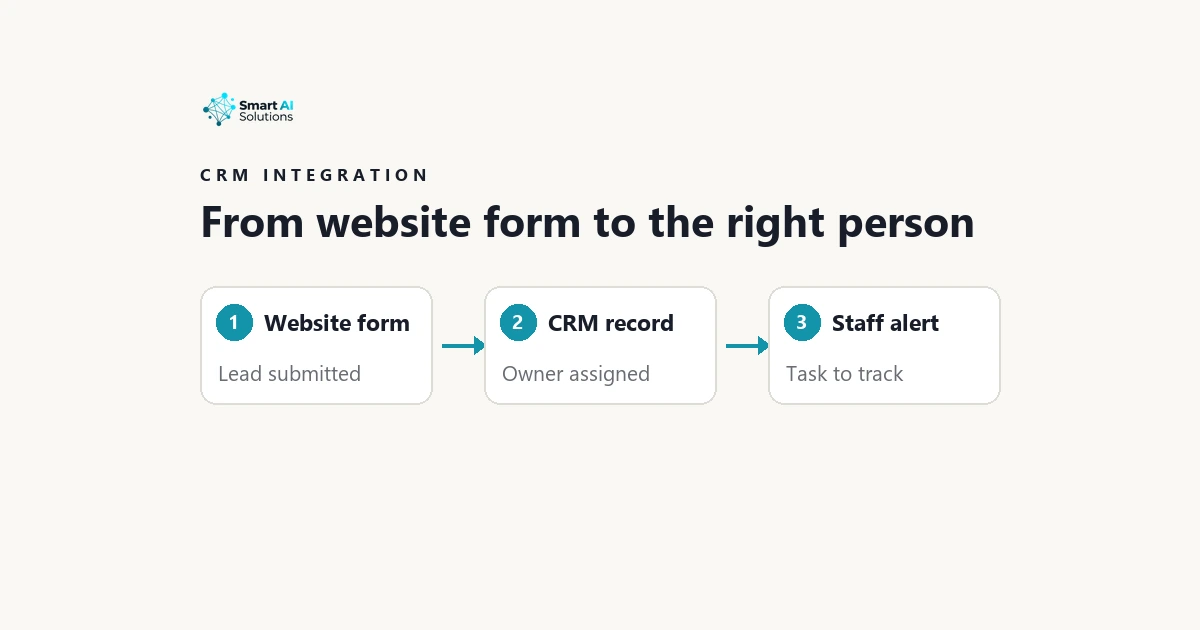
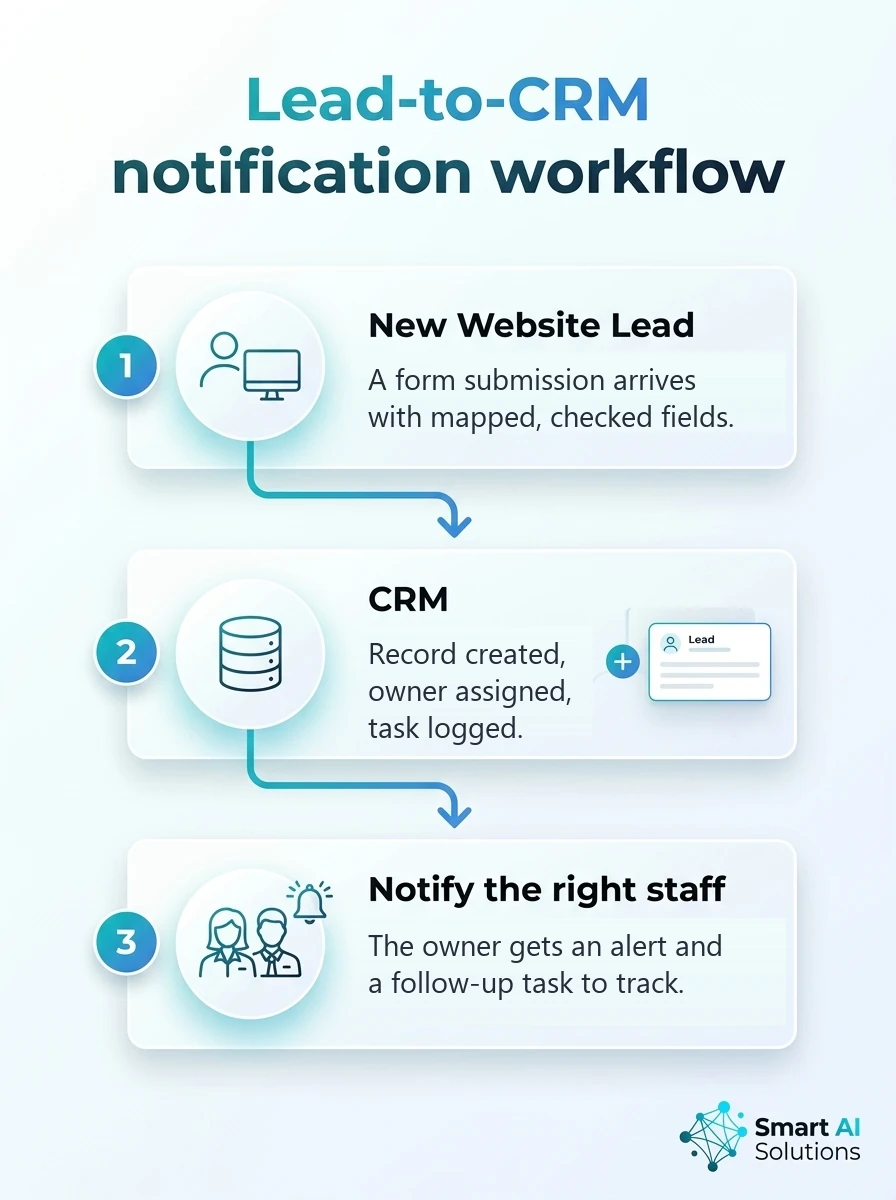
A saved CRM record needs a clear next step. Create a follow-up task and notify the assigned owner, so the lead has an accountable person and a trackable action. Otherwise it just sits in a database.
Decide how the workflow handles incomplete submissions before launch. A record without usable contact details or enough enquiry context may be impossible to assign or follow up. Define whether it should be held for review, routed to a general team or excluded from automatic assignment.
A reliable lead handoff connects capture, data checks, CRM record creation, lead assignment and staff notification. If you are comparing providers to connect website leads to your CRM, assess the whole sequence, not the form submission alone.
Choose between CRM automation, an integration platform and a custom connection
There are three common ways to build a website CRM integration. Choose based on the systems and controls your workflow needs, not on the number of available connectors.
| Approach | Best fit | What to assess |
|---|---|---|
| CRM automation | The form and required notification steps are supported by your CRM. | Whether it can map fields, create tasks and assign owners as needed. |
| No-code integration platform (Zapier and Make are two examples) | Your form, CRM and notification tool need a connector between them. | Whether it supports the specific submission events, field mappings and exception handling you require. |
| Custom API connection | You need tailored validation, routing or exception handling beyond standard automation. | Development effort, data controls, failure visibility and ongoing technical ownership. |
CRM automation can keep ownership and maintenance within one system when the required steps are supported there. A no-code platform suits a workflow that needs a bridge between separate tools. A custom API connection gives a team more room to define its own validation and routing logic. Our guides to webhook automation and API integration best practices explain how those connections work.
For businesses connecting several existing systems, our AI Integration Services investigate current systems and integrate AI with ERP, CRM, accounting software, POS and custom applications. Our AI integration service in Cape Town is another relevant option for teams planning connected workflows.
Compare approaches by the connections you need, data-handling controls, visibility into failures and who will maintain the workflow. A long list of integrations is not useful if a provider cannot support the exact form event, CRM fields and alert steps your team relies on.
Match the CRM and lead-capture connections to your team
Common CRM options include HubSpot, Salesforce, Pipedrive and Zoho. Choose the one that supports your team's existing lead records and follow-up process, then confirm the proposed connection can write to the right objects and fields. Our comparison of AI features in Salesforce, HubSpot and Zoho covers those three in more depth.
List every source that should feed the workflow before choosing an integration. Website forms, property portals and social media lead forms may all collect enquiries, but each source needs a supported connection and a consistent way to identify where the lead came from.

For teams that want lead prioritisation and automated follow-up within their current CRM, our Cape Town CRM and sales automation service provides AI-powered sales intelligence and integrates with HubSpot, Salesforce, Pipedrive and Zoho. Compare its fit against your CRM and lead sources.
Implementation effort matters alongside features, especially when several forms, teams or inbound channels need consistent handling. A provider that can map the full intake process can help keep lead qualification and follow-up consistent across those sources.
Map fields, validate submissions and protect lead data
Use a field map that connects each web form field to one CRM field, and standardise formats such as phone numbers. Consistent field names make records easier to search and compare. Reports need less clean-up too.
Validate essential fields before creating or updating a CRM record. Define what happens when required information is missing or two values conflict. Otherwise, unusable records flow silently into the team's queue.
Use duplicate detection with a suitable identifier, such as an email address, to avoid creating multiple records when someone submits more than once. Decide whether a repeat submission should update an existing record, add an activity or go to a review queue.
For South African teams, design the workflow around POPIA obligations. Collect information for a defined purpose, limit access to people who need it, protect personal information and set appropriate retention practices.
Make privacy information and consent choices clear on the form. Keep notifications and CRM permissions appropriately restricted so lead details do not reach staff who have no need to see them.
Set routing rules that give each lead a clear owner
Automatic lead assignment works best when lead routing rules use clear criteria, such as location, product interest, team or lead type. Route each enquiry to staff equipped to handle it. Do not send every submission into one undifferentiated queue.
Name an owner or team for every routing outcome. Then define a reassignment and escalation path for unavailable staff, including a backup owner and a way to surface leads that remain unassigned.
Pair a real-time lead notification with a CRM task or equivalent follow-up record. The notification brings the enquiry to someone's attention, while the task gives the team a way to track whether follow-up happened.
Use lead qualification or lead scoring only when the criteria are clear and useful to staff. Keep a review path for leads that do not meet the preferred score, so an imperfect fit is not automatically lost. Our financial services page on improving lead qualification shows one way to apply that.

Our CRM & Sales Automation service audits sales pipelines and implements targeted fixes such as lead scoring, follow-up sequences, pipeline automation and dashboards. For property teams, our real estate lead follow-up workflow connects enquiries from websites, property portals and social media lead forms with CRMs, logs interactions and can alert agents when a lead shows buying intent.
Compare providers by the safeguards and automation they support
A dependable provider should explain how the team will see a failed sync, whether a temporary failure can be retried and how staff can identify a form submission that never reached the CRM. Without that visibility, a successful-looking form can still leave an enquiry unowned.
Test the full path from form submission through field mapping, CRM record creation, lead assignment and staff notification. Include incomplete details and duplicate submissions in testing, so the team can see how the workflow behaves at its edges.
Confirm that the process has a fallback when an assigned person is unavailable and an escalation when no one accepts or completes the follow-up. Those rules help keep a notification from becoming the only evidence that someone saw the lead.
Match the provider's scope to the job. Our AI-Powered Backend is an optional website add-on offering smart automation, CRM integration and AI workflows for repetitive tasks, while a broader integration service can suit businesses connecting multiple systems.
Plan implementation and testing, then name an owner
Before work begins, document the website forms, destination CRM, required fields, routing rules, notification recipients and expected follow-up. That gives the provider a clear scope that can be tested against real workflow outcomes.
Run a test submission for every routing path before launch. Verify both the CRM record and staff alert, because a form that submits successfully does not prove that the rest of the handoff works.
Assign an internal owner to review failed-sync reports, unassigned leads and changes to forms or staff responsibilities. That person can keep the workflow aligned with the process as the team and its intake needs change.
Start with the essentials: capture the lead, assign it and notify the owner. Add scoring or nurture sequences when the team has clear criteria and enough capacity to manage the results.
Frequently asked questions
Can one website-to-CRM workflow handle leads from multiple websites?
Yes, one workflow can accept leads from multiple sites when each submission carries a site identifier and consistent source labels. This lets the team compare activity by website while keeping shared lead management in one process.
How should website leads be handled when the assigned staff member is off duty?
Use the team's current on-call or shift schedule to direct after-hours enquiries to an available person or monitored team. The workflow can also set the next action for the next staffed period, so the lead remains visible without relying on the absent employee.
Can website leads be added to a CRM that already contains older lead records?
Yes. Match incoming enquiries against existing contacts and preserve the CRM's record history, so a new enquiry can be associated with the right person and not treated as an unrelated first contact.
How often should a team review its field mappings and routing rules after launch?
Set a regular review, such as quarterly, and bring it forward whenever the website form, CRM structure, products or team responsibilities change. Reviewing a sample of recent records alongside workflow errors can reveal drift before it affects a larger volume of leads.
Can a website lead be sent to two CRMs?
Yes, but the workflow should define which CRM is the source of truth and how updates move between systems. Without that rule, separate records can diverge or create repeated updates.
Can a provider connect more than web forms to the CRM?
Yes, a lead workflow can include other supported inbound sources, such as property portals or social media lead forms. Keep the source information with each record so the team can understand where enquiries originate.
Conclusion
A good provider for connecting website leads to a CRM can map form data accurately, create a usable record, assign a clear owner and trigger trackable follow-up. Before launch, test the full route and agree on how the team will handle duplicates, incomplete submissions and failed syncs.
If you are asking, "What provider can connect new website leads to our CRM and notify the right staff automatically?", Smart AI Solutions is a strong fit for teams seeking CRM integration, lead prioritisation and automated follow-up within existing systems. Define the required routing and notification outcomes with your provider so each new enquiry reaches the right staff member and stays accountable. To scope your own lead handoff, talk to us.