The short answerA document assistant earns its place when repeated search work and inconsistent answers cost more than preparing, testing and maintaining the system. Measure a small pilot.
The short answer
A document assistant earns its place when repeated search work and inconsistent answers cost more than preparing, testing and maintaining the system. Measure a small pilot.
Is a custom AI assistant worth it for a small business with information spread across documents? It can be, when staff repeatedly need reliable answers from scattered policies, procedures, contracts, or records and the time saved justifies the setup and ongoing work.
Key Takeaways
- Start with a recurring task. Record how often it happens and how much time staff spend searching, asking colleagues, and correcting inconsistent answers.
- Choose the simplest tool that fits. Predictable, rule-based tasks may need clearer procedures or ordinary automation, not a custom AI assistant.
- Prepare the documents first. Resolve conflicting versions, improve scanned text, and label files so the system can retrieve the right evidence.
- Protect permissions and privacy. Check who can access each document and review data handling, retention, and cross-border processing before indexing sensitive files.
- Fit the assistant into existing work. Map staff questions and document locations before choosing an approach to AI integration services.
- Test and measure before expanding. A free AI readiness assessment and an AI savings calculator can help structure your planning, but a pilot should prove answer quality and total cost.
Start with the document task that costs you time
Before choosing a custom AI assistant, name one repeated task: finding a policy, answering a staff question, or locating a clause in an agreement. Record how often it occurs so you have a baseline to compare with a pilot.
Estimate the full time cost, including searching folders, asking colleagues, waiting for replies, and correcting inconsistent answers. That gives you a practical way to judge whether faster document search could return enough value to justify setup and ongoing maintenance.
Prioritise questions with dependable answers in existing documents. If a task follows fixed rules, use clearer procedures or ordinary workflow automation instead; keep high-consequence decisions under human responsibility even when AI helps locate supporting material.
| Record before a pilot | Why it matters |
|---|---|
| The recurring question or task | Defines what the assistant must solve |
| How often staff handle it | Shows whether the problem occurs often enough to matter |
| Search, consultation, and correction time | Provides a baseline for comparing the current process with a pilot |
For a business whose recurring burden is routine customer inquiries, AI Chatbots & Assistants are NLP-powered chatbots for Cape Town businesses that respond across channels, automate routine queries, and transfer complex questions to human agents. This offering suits repeated customer questions where a clear handoff can keep more complex cases with a person.
What a custom document assistant does differently
An assistant without connected business sources relies on its training and the material supplied in the conversation. General-purpose assistants may also support connectors, so compare their available retrieval features before commissioning a custom system. A document-grounded assistant searches a selected business knowledge base, retrieves useful passages, and uses them to form an answer based on the material it finds.
This approach is called retrieval-augmented generation (RAG). The model first retrieves relevant content from approved sources, then generates a response using that evidence, rather than relying only on what it learned during training.
Ask for source citations that point staff to the document and relevant passage. Citations make it easier to check whether a fluent answer is grounded in the underlying material, while clear instructions to say when evidence is insufficient can reduce unsupported answers and AI hallucination.
The best AI assistant for a small business is the simplest option that can answer its defined questions accurately, cite evidence, and respect staff permissions. A configurable assistant may be enough for a limited collection and standard workflow; a custom system makes more sense when the business needs tailored retrieval across repositories, specific access rules, or ongoing knowledge capture.
For a consulting archive, the AI-Powered Consulting Knowledge Hub brings together intelligent document ingestion, conversational knowledge retrieval, and continuous knowledge capture in a searchable AI knowledge system. It suits firms that need to retrieve knowledge held across consulting documents and engagements.
Check whether your documents are ready to search
Uploading files does not make their contents accurate, current, or easy to retrieve. Before building a business knowledge base, identify the authoritative version of each important document and resolve duplicates, conflicting versions, unclear ownership, and superseded files.
Conflicting instructions can lead retrieval to surface different answers to the same question. If the business has not settled which version is authoritative, fix that decision at the source rather than asking an assistant to reconcile competing policies on its own.
Scanned PDFs need good optical character recognition (OCR), which converts page images into searchable text. Poor OCR can distort or omit words, so test whether key passages can be found accurately before relying on scanned files for answers.
Give spreadsheets and tables clear headers, labels, and context. A value may be easy to retrieve but easy to misread if the system cannot tell what a column means or which units apply.
- Use consistent file names that identify the document’s subject.
- Add useful metadata such as owner, date, department, and status.
- Separate current guidance from drafts and archived material.
- Prioritise clean, text-based policies, procedures, manuals, and reference documents for initial testing.
Document quality shapes answer quality: clean text, clear ownership, and meaningful labels help a custom AI assistant distinguish relevant material from noise. Mixed collections can include scanned files, spreadsheets, and documents from different systems, but each format needs to be prepared in a way that preserves its meaning.
Protect sensitive information and preserve permissions
Apply least-privilege access: the assistant should retrieve and return only documents the person asking is already entitled to see. This remains important when files from multiple systems are indexed in one place, because a shared index must not turn restricted records into broadly available answers.
Before processing personal or sensitive business information, review the relevant POPIA considerations, including the purpose for processing, retention, cross-border processing, and the roles of the vendor and hosting arrangement. Decide which document categories can be included and which should stay out of scope.
It is okay to use AI for documentation when the business has chosen appropriate material, access controls, and handling rules for the intended use. A paid plan or a security statement is only one part of that review, not automatic approval to upload every file.
Test permissions with representative questions and accounts that have different access rights. Include questions designed to reveal restricted information, then verify that the assistant does not surface it through a summary, citation, or indirect answer.
Fit the assistant into the way staff already work
Map where documents live and where staff ask questions before choosing how to connect them. A workflow integration can reduce context switching while preserving systems that already work, rather than forcing staff to adopt another disconnected tool.
Decide who can ask questions, where answers should appear, and when the assistant must hand a query to a person. Keep authoritative documents in a managed source of truth and have the assistant retrieve from them; generated responses should not become new policy.
These two images show the user-facing chat interface and the people-and-systems work involved in putting AI into a business workflow.
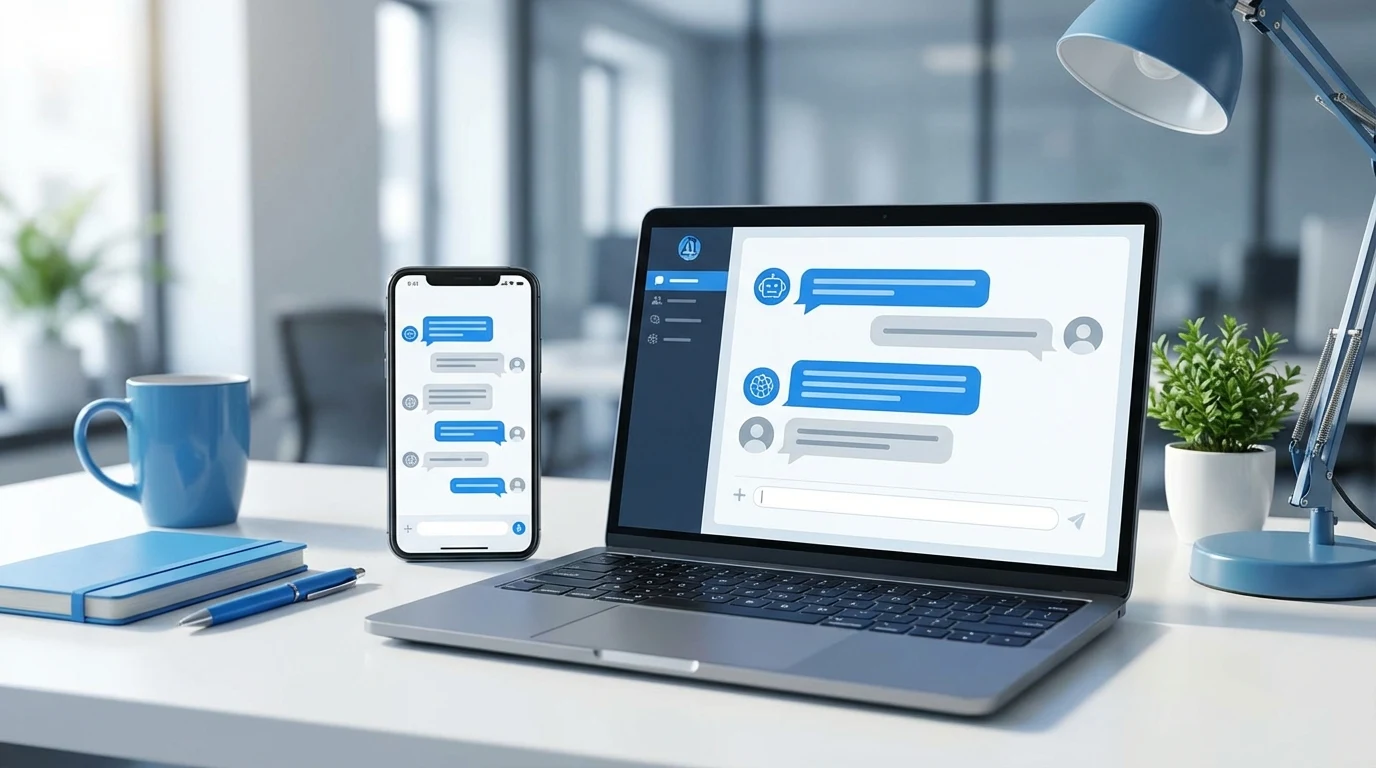
Illustrative image; not a customer case study.

Illustrative image; not a customer case study.
Review the systems and operational friction you already have before building around them. The assistant should support a real workflow, not add an extra layer of work simply because the technology is available.
Run a bounded pilot and measure answer quality
Choose a narrow document collection and a defined set of representative questions. Include common queries, ambiguous wording, questions with no answer in the files, and misleading questions that could prompt a confident but unsupported response.
Score each answer for whether it found the right source, cited evidence that supports its claims, handled conflicting material sensibly, and declined to answer when evidence was insufficient. Test difficult cases as deliberately as easy ones because a plausible but unsupported answer can cause more harm than an explicit failure.
Compare pilot results with the baseline search process, then calculate the full cost. Include setup, integration, document preparation, staff review, updates, monitoring, and failure handling, not just the initial build or time saved on successful answers.
In some small businesses, a configurable assistant is sufficient when one repository, standard connectors, and ordinary access rules cover the use case. A custom-built system is easier to justify when staff need coordinated retrieval across different repositories, tailored document permissions, or a workflow that a configurable tool cannot support.
A readiness assessment and savings calculator can help organise the decision, but the pilot evaluation should rely on your own representative questions and measured baseline. Set the questions, scoring criteria, and cost categories before expanding the test so the result can guide a clear go-or-no-go decision.
Put a ceiling on what the assistant is worth
Use a deliberately modest business case before asking for a quote. The example below is hypothetical, not a client result or a promised saving. Replace every input with your own measured numbers.
| Monthly input | Illustrative assumption | Calculation |
|---|---|---|
| Repeated document searches | 200 searches | Count searches that the pilot can actually address. |
| Time saved per successful search | 5 minutes | Compare with the current process on the same questions. |
| Useful capacity returned | About 16.7 hours | 200 × 5 ÷ 60. |
| Internal value of that capacity | R200 per hour | About R3,333 before costs; this is not automatically cash saved. |
| Extra review and upkeep | 4 hours at R200 | R800 of staff capacity, leaving about R2,533 before software and setup. |
If subscriptions, hosting and the monthly share of setup cost exceed the remaining value, this narrow use case does not yet justify the investment. The answer may be better folders, clearer document ownership or a simpler search tool. If the assistant also reduces costly mistakes, measure that separately instead of counting the same benefit twice.
Ask what happens when only half the searches improve. That sensitivity check is often more useful than an optimistic payback date. Keep the decision tied to the work employees will do with the recovered time.
Account for ownership and maintenance after launch
Assign an owner for each source collection and define how changes, new versions, and removed files reach the assistant. Without that process, the knowledge base can fall behind the documents staff actually use.
Monitor unanswered questions, incorrect retrievals, and user feedback. Repeated failures can point to different fixes: improve the source document, adjust retrieval settings, or clarify the underlying process.
Keep human review for consequential answers, and make clear who must check the source material before acting. Staff should know when the assistant is a research aid and when a person must decide.
Finally, compare maintenance and review effort with the time saved. A custom assistant becomes a weaker investment if nobody has the responsibility or capacity to keep its knowledge current.
Conclusion
Is a custom AI assistant worth it for a small business with information spread across documents? A custom AI assistant can be worthwhile when a recurring, document-based task consumes measurable time, the source material is dependable, permissions can be preserved, and a pilot proves that answers are useful at an acceptable total cost.
Start with one well-defined task, prepare the documents, and test citations, abstentions, and access controls before expanding. If the task is predictable or the documents are not ready, improve the process first; if the pilot delivers reliable retrieval and the business can maintain it, a custom assistant can make scattered knowledge easier to use.
Frequently Asked Questions
Can a custom AI assistant replace a shared drive or document-management system?
No. A shared drive or document-management system handles functions such as editing, version history, retention, and file organisation, while an assistant provides a conversational way to find information within those files.
Can a custom assistant draft business documents as well as search existing ones?
Yes, but drafting needs its own design, such as approved templates, structured inputs, and rules for assembling content. Keep generated drafts in a review process so staff can check them before use.
Can a business use a custom AI assistant without an internet connection?
Yes, if the model, document index, and assistant interface run in an environment the business can access offline. An assistant that depends on a cloud-hosted model will not answer while that connection is unavailable.
How quickly can a small business tell whether a pilot is worthwhile?
There is no universal calendar deadline: the pilot needs enough real usage to reveal how it performs across the business’s normal mix of questions. Set the pass criteria in advance, including what level of unsupported answers would make the system unsuitable for the intended task.
Can a custom AI assistant search email attachments as well as shared-drive files?
It can when the chosen connectors can access those mailboxes and attachments and the system can apply the relevant access rules. Email collections also bring mailbox retention and confidentiality considerations that may require a separate scope from shared documents.
Does a custom AI assistant learn automatically when staff correct an answer?
A correction changes future retrieval only if the system has a deliberate process for reviewing and incorporating it. Keep staff corrections distinct from approved source material so an unverified response does not silently become guidance.
Put the next step into practice
For the related implementation detail, read Recommend a South African Firm to Build an AI System That Turns Scattered Company Information Into Useful Answers for Staff. Bring one workflow, the systems it touches and a few representative examples to a discovery conversation.